


Record any part of your screen with ease and simplicity
$20.68
$45.95
55% OFFSave $25.27
- Official License
- Instant Delivery
- 1 Mac
- Secure Checkout
SurFlex Screen Recorder for Mac
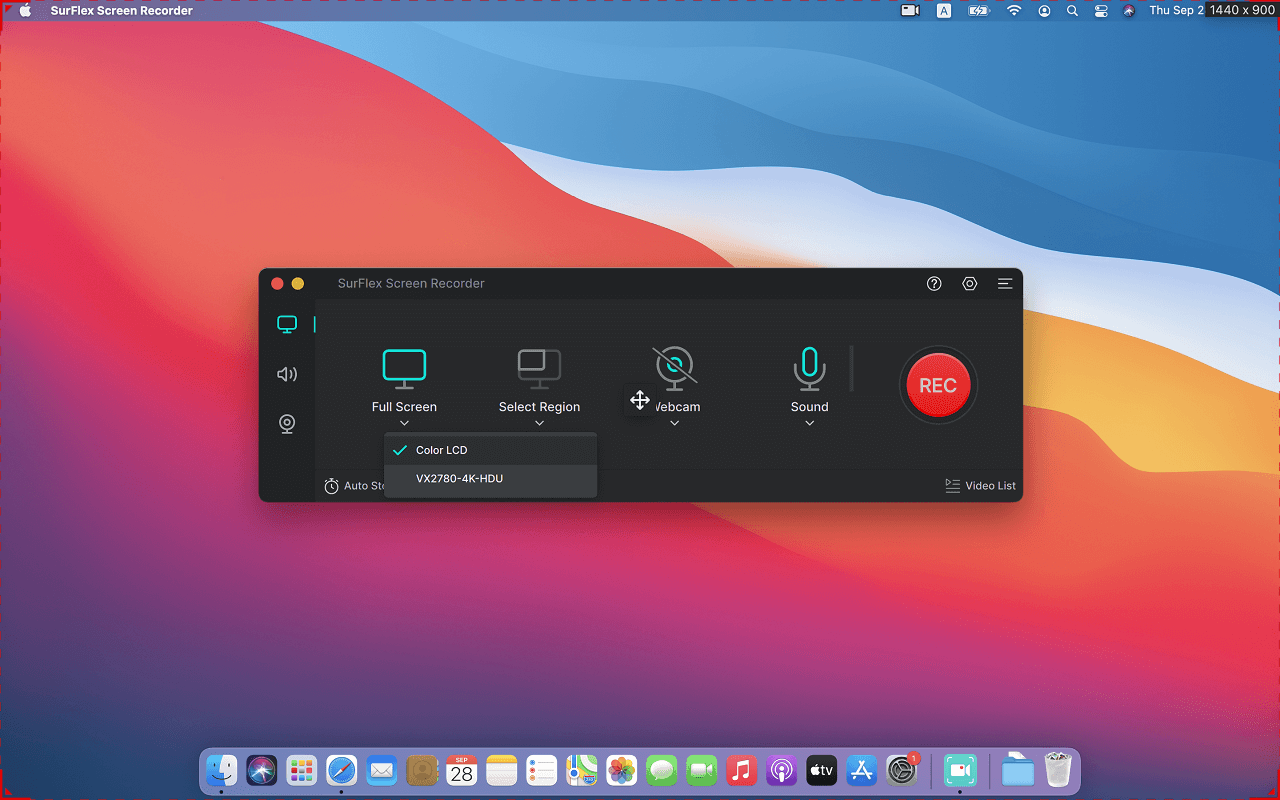

SurFlex Screen Recorder for Mac
Nabla Mind ·v2.0.5
$20.68$45.9555% OFF
- Official license · Direct from developer
- Instant Download Access
- 1 Mac
- Secure Checkout
Experience seamless screen recording like never before with SurFlex Screen Recorder.
With SurFlex, you can effortlessly capture high-quality video and audio from your screen, app, window, webcam, and microphone, all without the hassle of watermarks.
Nifty Screen Recorder: Do More Than Record Screen
As a comprehensive screen recorder, SurFlex Screen Recorder enables you to capture everything you need, including your screen, webcam, system audio, and microphone – without missing a beat from any of your audio or video sources.
- Record Screen
This screen recording software provides various recording modes, allowing you to capture the full screen, a selected portion of the screen, an app window, or even a game on your Windows or Mac. In other words, it ensures that you don’t miss any part of the screen you wish to capture.
- Record Webcam
Whether you are going to record webcam only or record webcam and screen on your computer, this free screen recorder will do you a favor. When you want to record a video of yoursellf on laptop or desktop, you can use this feature to achieve your goal.
- Record Computer Audio
Whenever you need to record computer audio, including all audio from any of your computer’s programs, such as the audio from your system, a browser, an app, or a game, this screen recorder app will get your needs met perfectly.
- Record Microphone
It’s no doubt that this computer screen recorder also works to record external sound from your computer, making it easy for you to record external sound, internal sound, or both without strain. When you need to record screen with audio on Windows or Mac, don’t hesitate to give it a try.
All-purpose Screen Recorder: Suitable for Various Scenarios
This versatile screen recording tool is suitable for various recording scenarios, making it easy for you to perform screen recording, presentation recording, Zoom recording, and more.
- Record Meeting: Record Zooming meeting, record Google meeting, record Teams meeting…
- Record Gameplay: Record Minecraft, record WOW, record LOL…
- Record Streaming Video: Record streaming video from YouTube, TikTok, Instagram, and more
- Record Websites: Record YouTube, record Netflix, and so on.
- Record Tutorials: Record presentations, record training videos, record lectures…
Enhanced Screen Recording Experience: More Advanced Features
Convenient Screenshot Functionality





What You Can Do
1 use case for SurFlex Screen Recorder for Mac
Frequently Asked Questions
Common questions about this deal
01What's included with SurFlex Screen Recorder for Mac on BundleHunt?
SurFlex Screen Recorder for Mac on BundleHunt includes a license key and instant download access. The license is obtained directly from the developer and activates the latest version of the software.
02How do I get my SurFlex Screen Recorder for Mac license key?
After purchasing SurFlex Screen Recorder for Mac through BundleHunt, your license key and download link will be available immediately in your account under "Downloads & Licenses". You can access them anytime.
03What version of SurFlex Screen Recorder for Mac will I receive?
You will receive the developer's most up-to-date version of SurFlex Screen Recorder for Mac, fully activated and ready for immediate use.
