


Grab text from anywhere on screen — images, video, PDFs, screenshots. Press two keys, paste anywhere.
- Reads text out of video, PDFs and images
- Two-key shortcut, pastes straight into anything
- Text-to-speech built in
- Official License
- Instant Delivery
- 1 Mac
- Secure Checkout

TextSniper
MacEpic·v1.11
- Official license · Direct from developer
- Instant Download Access
- 1 Mac
- Secure Checkout
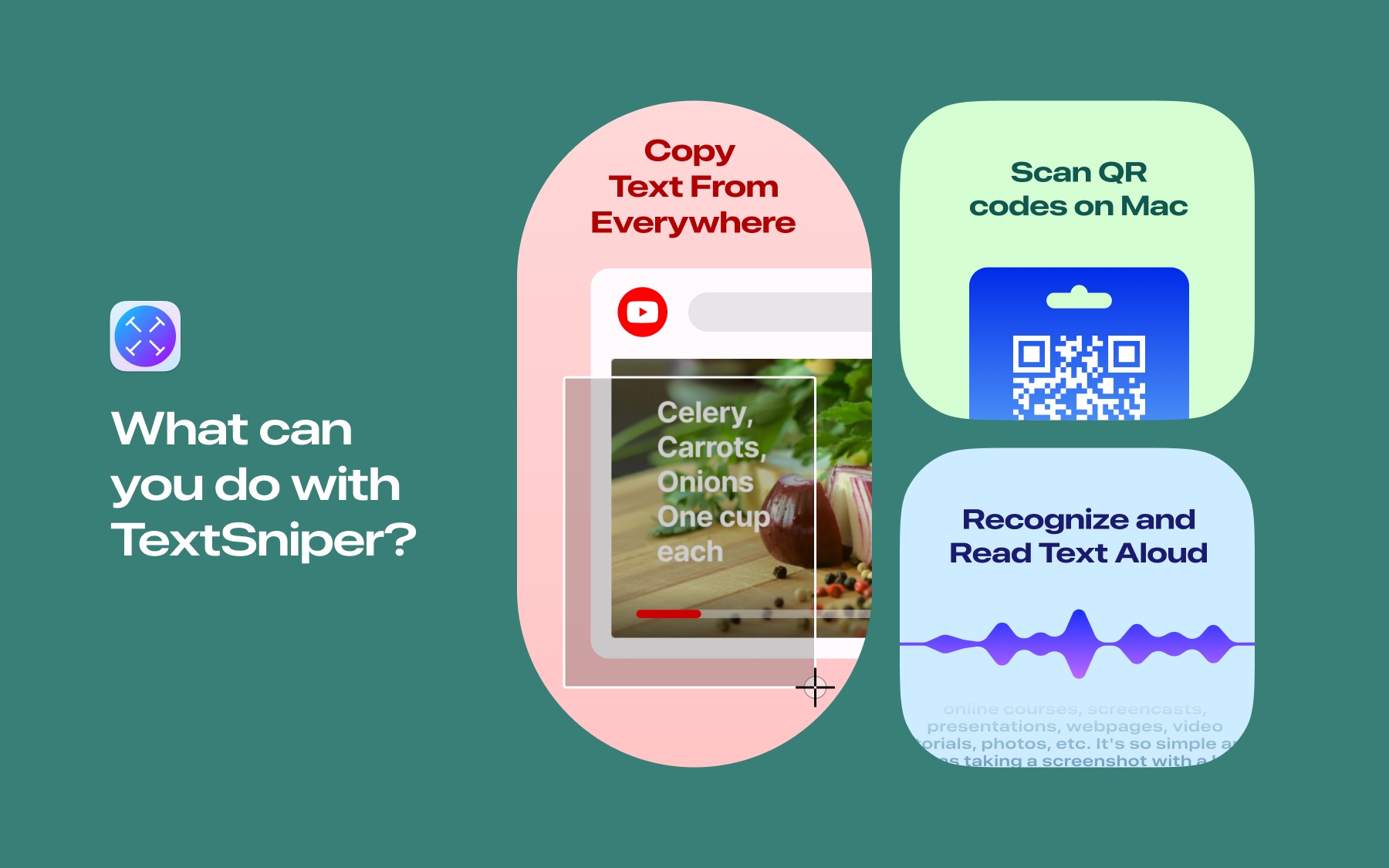
Is a lightning-fast OCR app that helps you copy the uncopyable text, wherever it may be: in photos, screenshots, PDFs,videos, online presentations, zoom calls, apps, or websites that annoyingly block copying. The speed, accuracy and ease ofuse are just phenomenal.
Moreover, TextSniper can turn recognized text into speech on the fly. Scan QR codes, as well as barcode numbers. Connect tothe iPhone or iPad camera to capture text right to your Mac.
TextSniper is popular among students, teachers, writers, bloggers, marketing persons, office workers, etc. Any mac user with TextSniper can instantly copy and paste stuff like: documents, quotes, URLs, business cards, email addresses, phone numbers, invoices, serial numbers, tracking numbers, and more.
Whatever text you see on your screen in no time can be turned into editable text. Speed up your workflow and save valuable time with TextSniper!
How it works
The TextSniper app is extremely simple and easy to use. Just press Shift-Command-2, then select the area of the screen with the text you want to copy, and that's it! A friendly thumbs-up will indicate that the text is copied and ready for pasting.
Core features
TextSniper can recognize over 25 languages
- Under macOS Catalina
- English only.
- Under macOS Big Sur/Monterey
- English, Spanish, French, German, Portuguese, Italian, Chinese Simplified, Chinese Traditional.
- Under macOS Ventura
- All above + Japanese, Korean, Ukrainian and Russian.
- Under macOS Sonoma
- All above + Cantonese Traditional and Simplified, Thai and Vietnamese.
- Under macOS Sequoia
- All above + Arabic.
- Under macOS Tahoe
- All above + Turkish, Indonesian, Czech, Danish, Dutch, Norwegian, Malay, Polish, Romanian, Swedish.
Vertical text recognition
- TextSniper recognizes vertically oriented Chinese, Japanese, and Korean text. This feature is currently available running TextSniper's latest version on macOS Sonoma, Sequoia and Tahoe.
Awards
- Featured by Apple, MacRumors, 9to5Mac, TNW, MacLife and many more.
- Featured app on the Mac App Store (2021, "TextSniper - Copy the Uncopyable")
- Featured on the Mac App Store (2025, "Apps You Didn't Know You Needed" collection)
- Featured on the Mac App Store (2025, MASTER YOUR MAC "Snap Screenshots Like a Pro" collection)
- Featured on the Mac App Store (2020, "Apps and games we love right now" collection)
What people say
TextSniper is a great Mac utility for converting graphics to text.
Thankfully, I came across TextSniper - a Mac app that lets you extract text from non-selectable sources such as YouTube videos, PDFs, photos, or presentations.
One of the best apps out there.
As a medical student, my time is extremely limited. I personally use this app to copy text from powerpoints, practice questions, etc., and it's unbelievable how much time l've saved using this app instead of typing everything out. I also don't get many apps from the App Store for my Mac, but this is absolutely a must-have.
Huge time saver!
I can't believe the number of cases where it makes sense to use this. Zoom calls where you can't cut from chat. A printed document you can capture in an iPhone photo and AirDrop to mac, live streaming presentations that show an unclickable weblink, the list is endless. Alongside Skitch from Evernote for great compressed shots, I find I instantly miss this utility on computers without it installed. Don't hesitate, try it, and watch it remove a solid part of your workday stress.






What You Can Do
1 use case for TextSniper
Frequently Asked Questions
Common questions about this deal
01What's included with TextSniper on BundleHunt?
TextSniper on BundleHunt includes a license key and instant download access. The license is obtained directly from the developer and activates the latest version of the software.
02How do I get my TextSniper license key?
After purchasing TextSniper through BundleHunt, your license key and download link will be available immediately in your account under "Downloads & Licenses". You can access them anytime.
03What version of TextSniper will I receive?
You will receive the developer's most up-to-date version of TextSniper, fully activated and ready for immediate use.
