

step 01
It finds your order
Buy on BundleHunt, open AppVault. The purchase is already there, with every app you paid for.
5of 6 chosen
AppVault snapshots your entire setup, updates apps from multiple sources, secures your keys, and restores everything on any machine in minutes — one native dashboard built for control.
Every feature for 3 days. No card — your email starts the trial, and a free BundleHunt account holds the download. Keep it for $21.99, once.
universal binary · apple silicon + intel · macOS 14+
AppVault reads the order you just paid for, downloads every app at once, checks each one’s signature, drops it into /Applications and files the licence key in your vault. No download links to hunt down. No keys to lose. No eleven installers to click through.
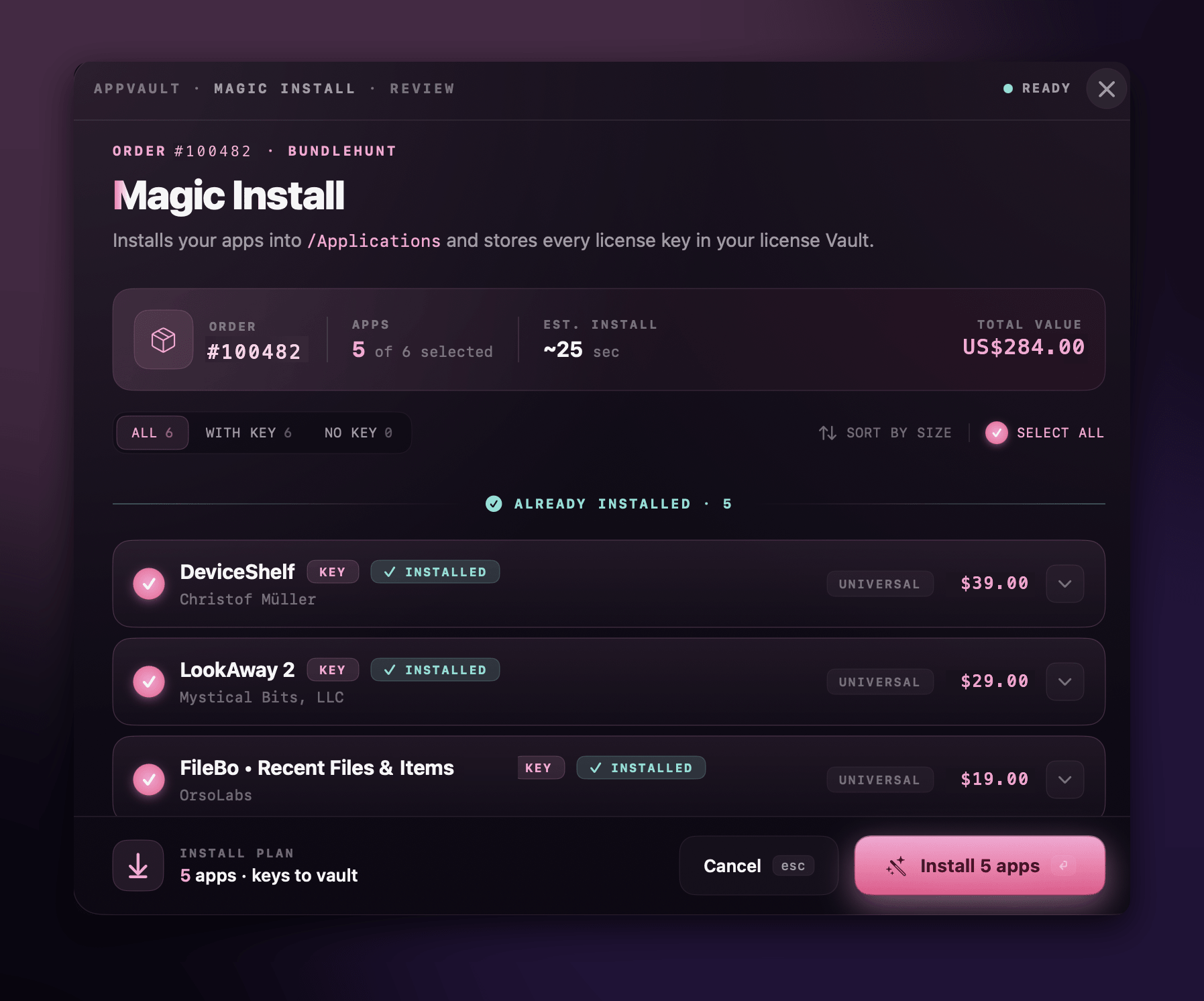
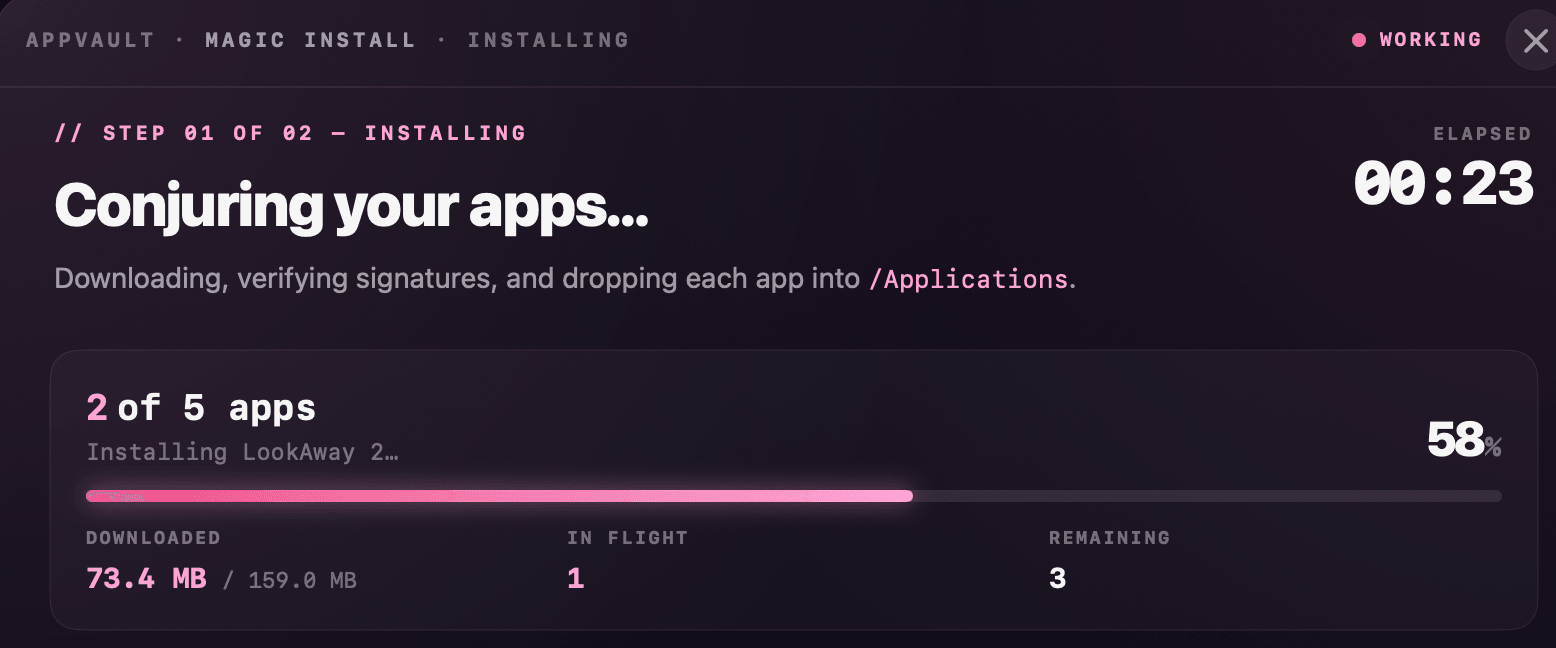
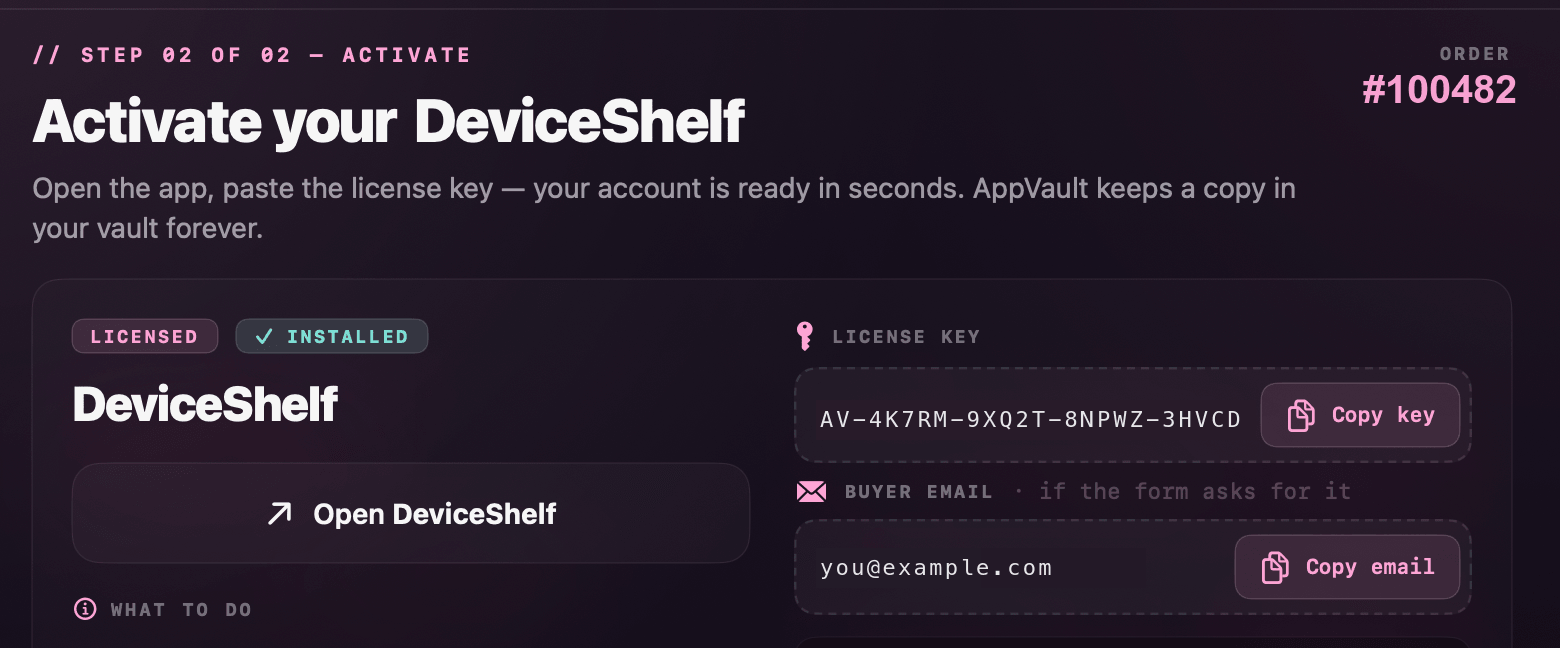
Buy on BundleHunt, open AppVault. The purchase is already there, with every app you paid for.
Each app with its publisher and its real value, listed before a single byte is downloaded.
Downloaded side by side, signature-checked, and dropped straight into your Applications folder.
Every licence key is saved to your encrypted vault and copied for you the moment you need it.
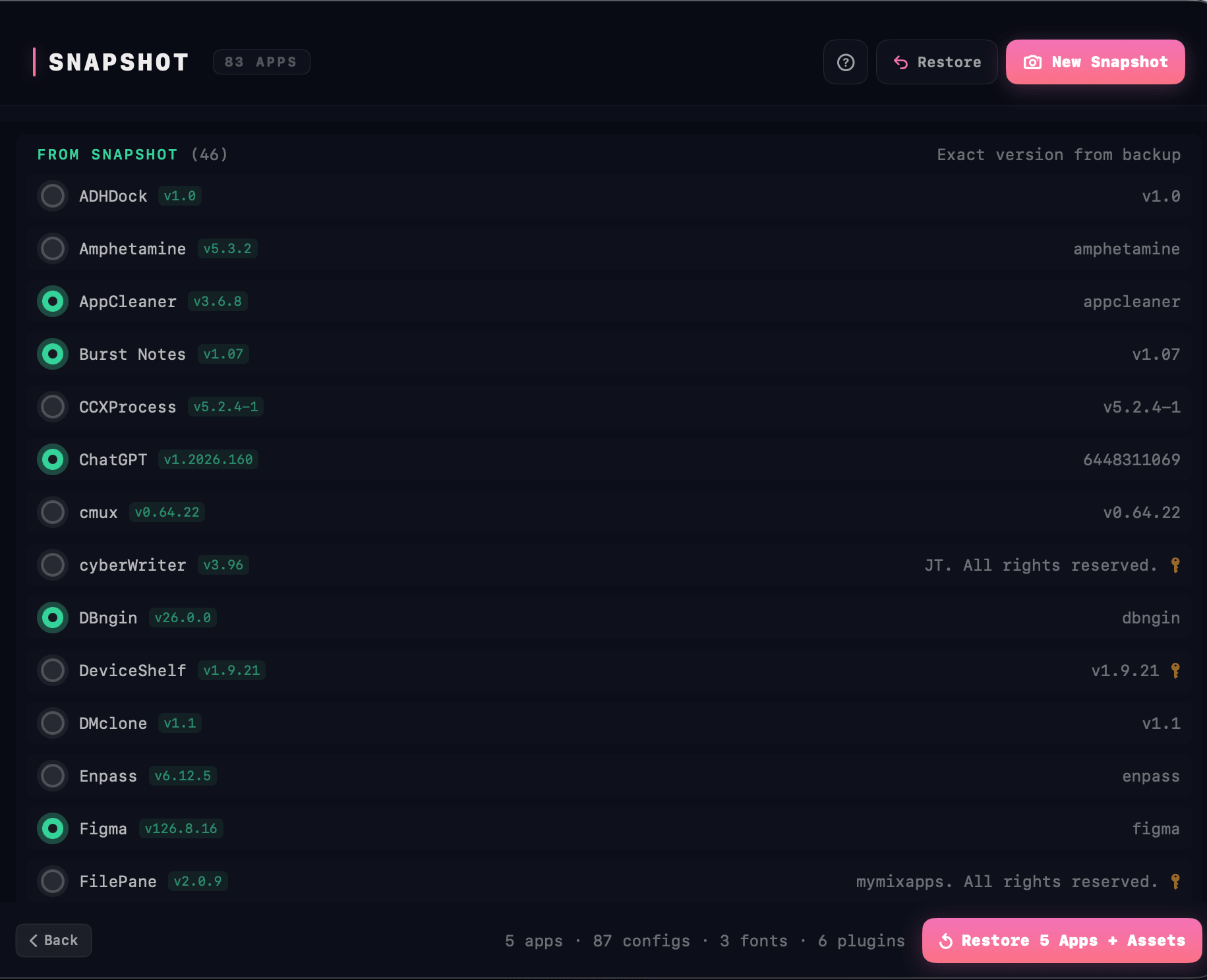
Apps, preferences, fonts, audio plug-ins and your Brewfile — packaged into one SHA-256 verified archive. Restore it on any Mac and pick up where you left off.
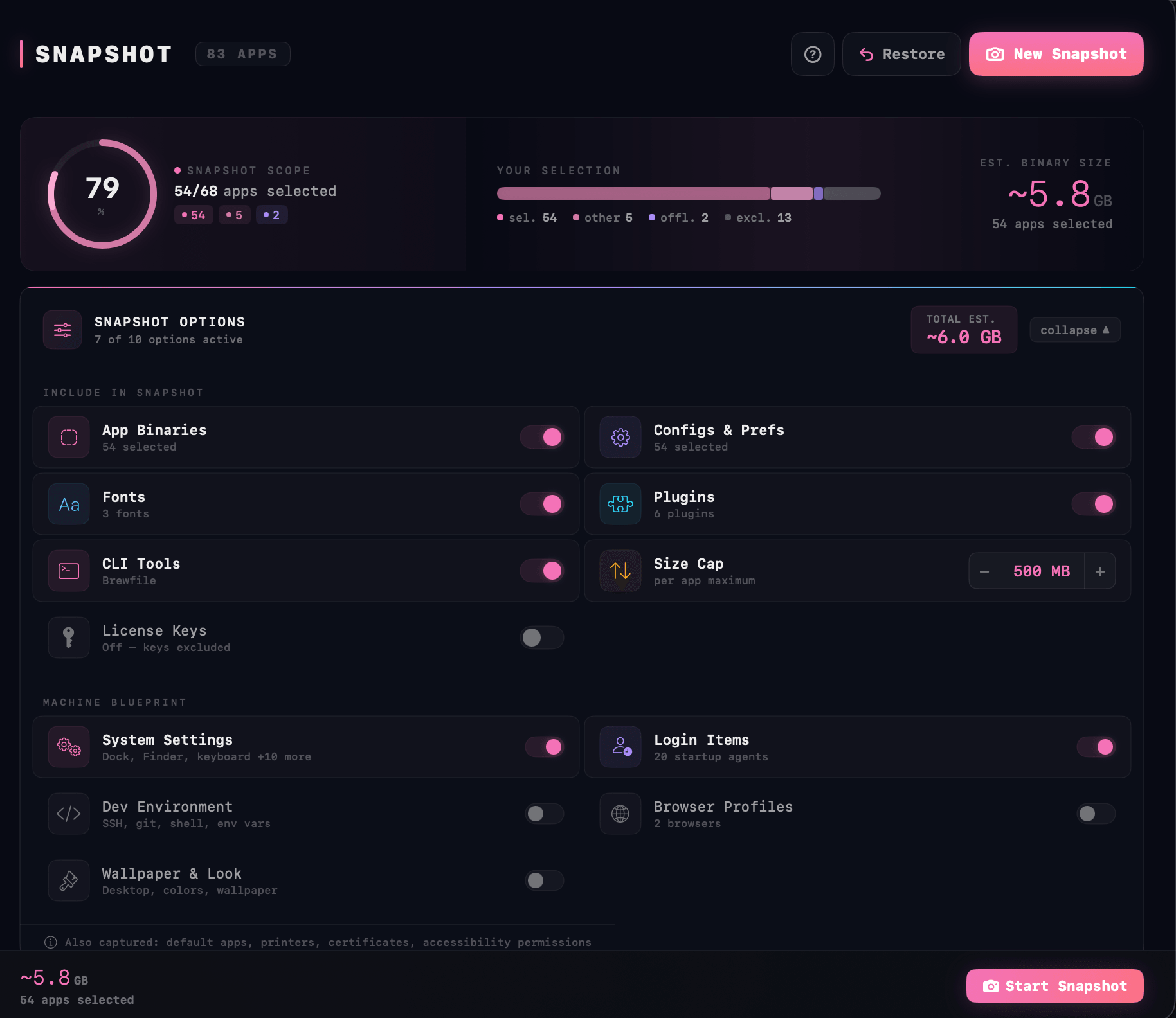
Point AppVault at a backup and every app comes back at the exact version you saved — preferences, plug-ins and licences included. A brand-new Mac becomes your Mac in minutes.
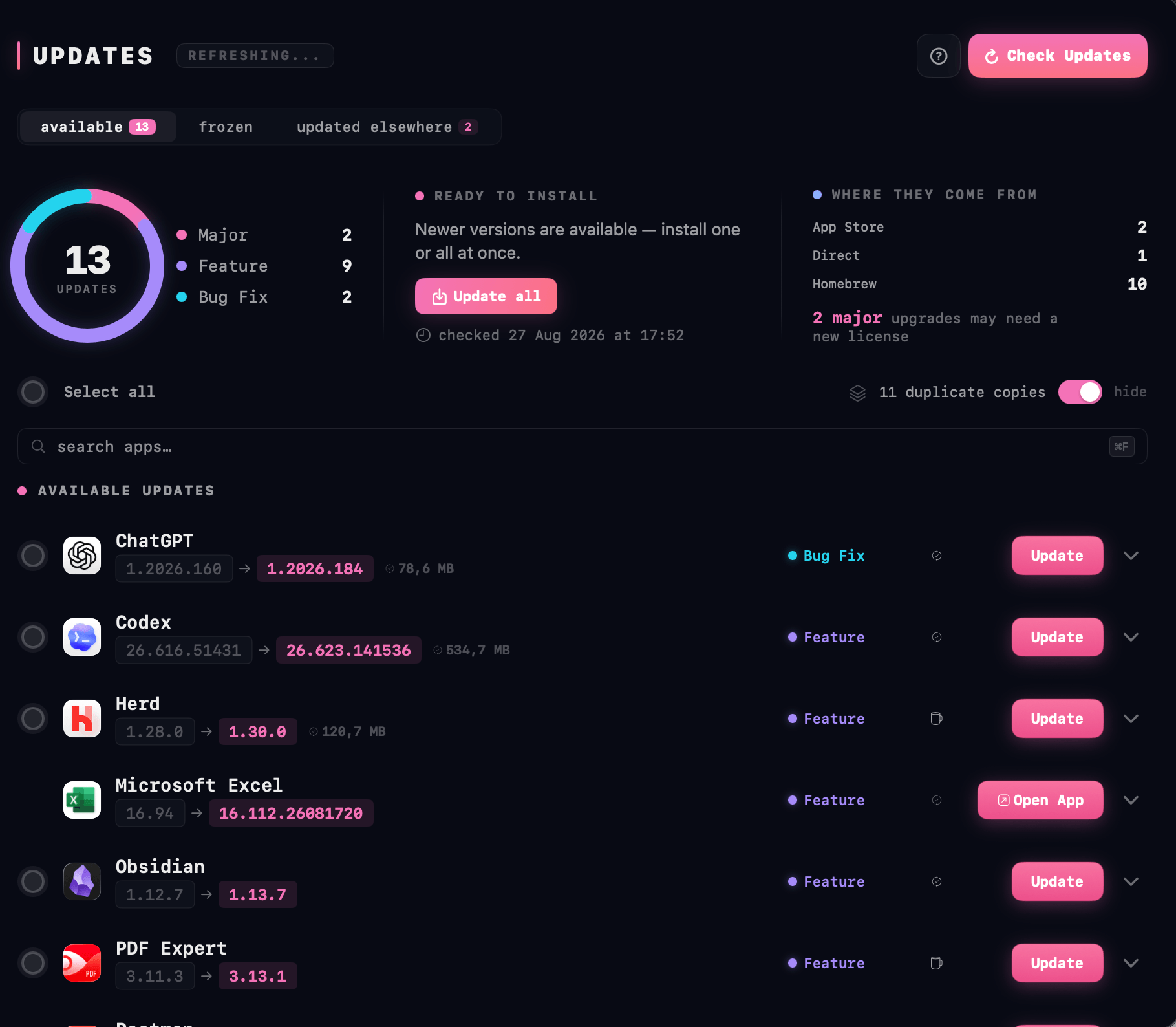
Sparkle, Homebrew, Mac App Store, Electron updater, and direct downloads — checked in parallel. Every update classified Bug Fix, Feature, or Major. Batch-update everything, or freeze any app at its current version forever.
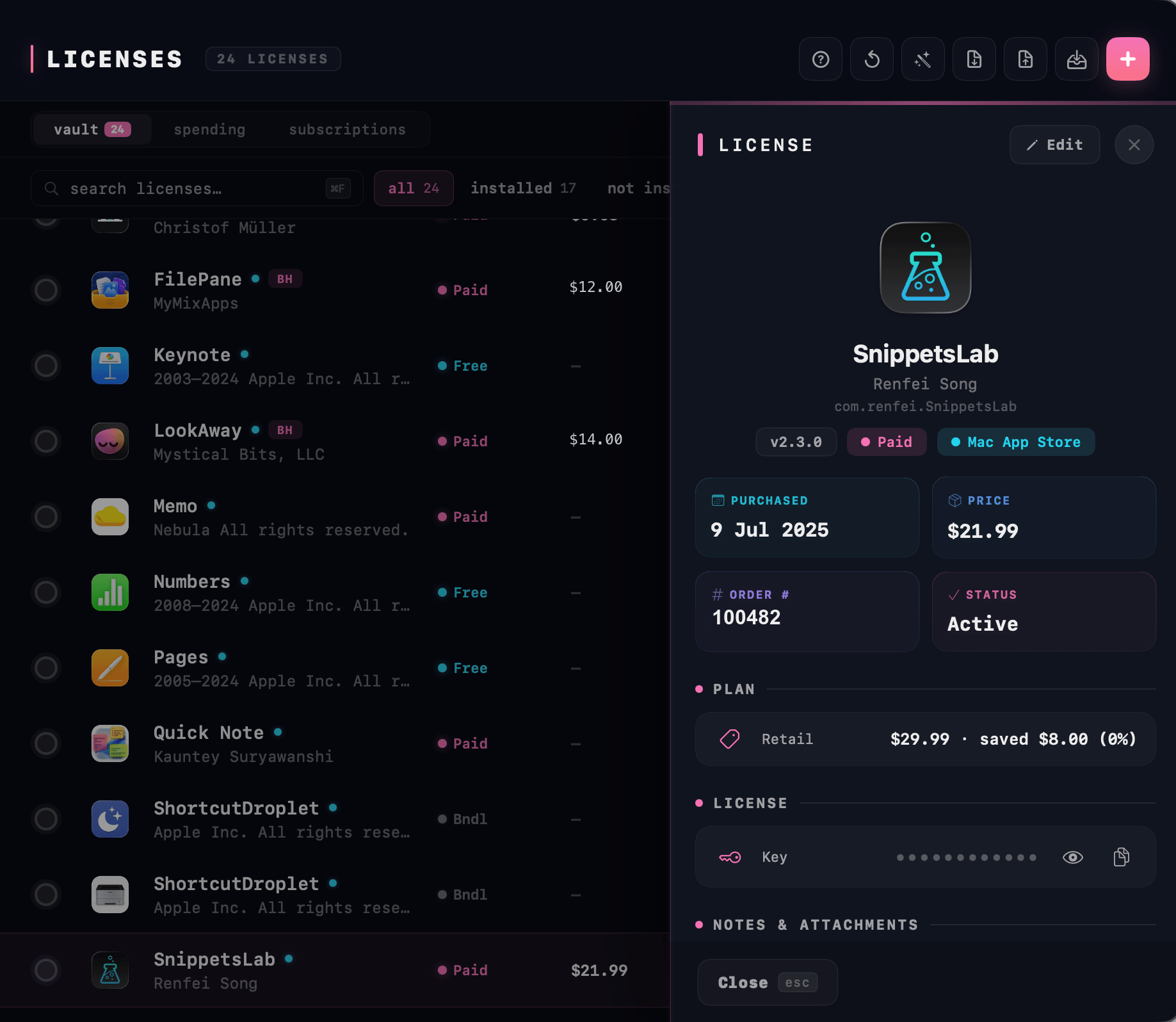
Every license key from every order — imported from CSVs, scraped from receipts, or captured from screenshots. Encrypted at rest. Copy any key in one click.
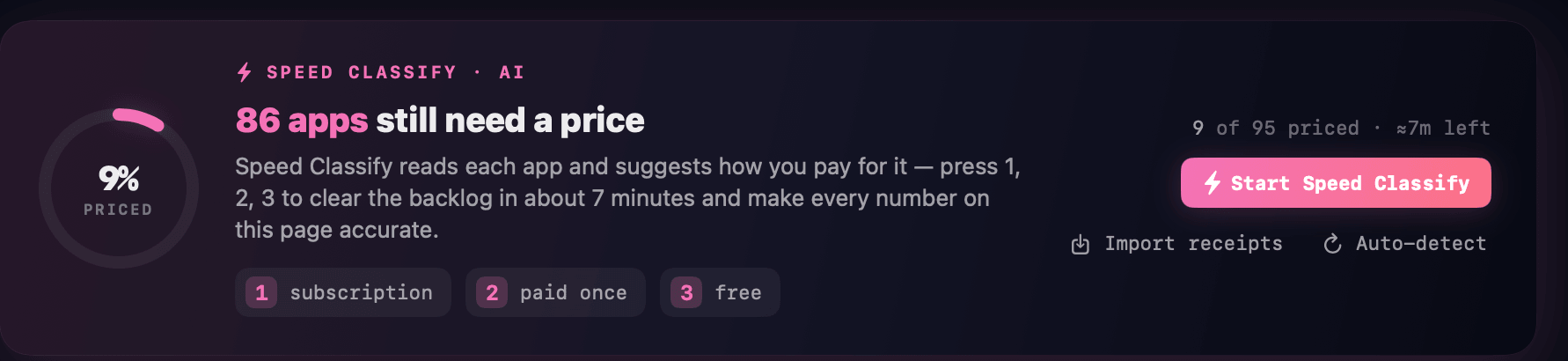
AppVault watches every paid app, every subscription and every renewal. ⚡ Speed Classify then walks your whole library in one pass: subscription, paid or free, one keystroke each — so the numbers on this screen are yours, not guesses.
Brew Formulas, Casks, and Mac App Store packages — all in one searchable pane. Install, update, or adopt anything you’ve already got, without typing a single command.
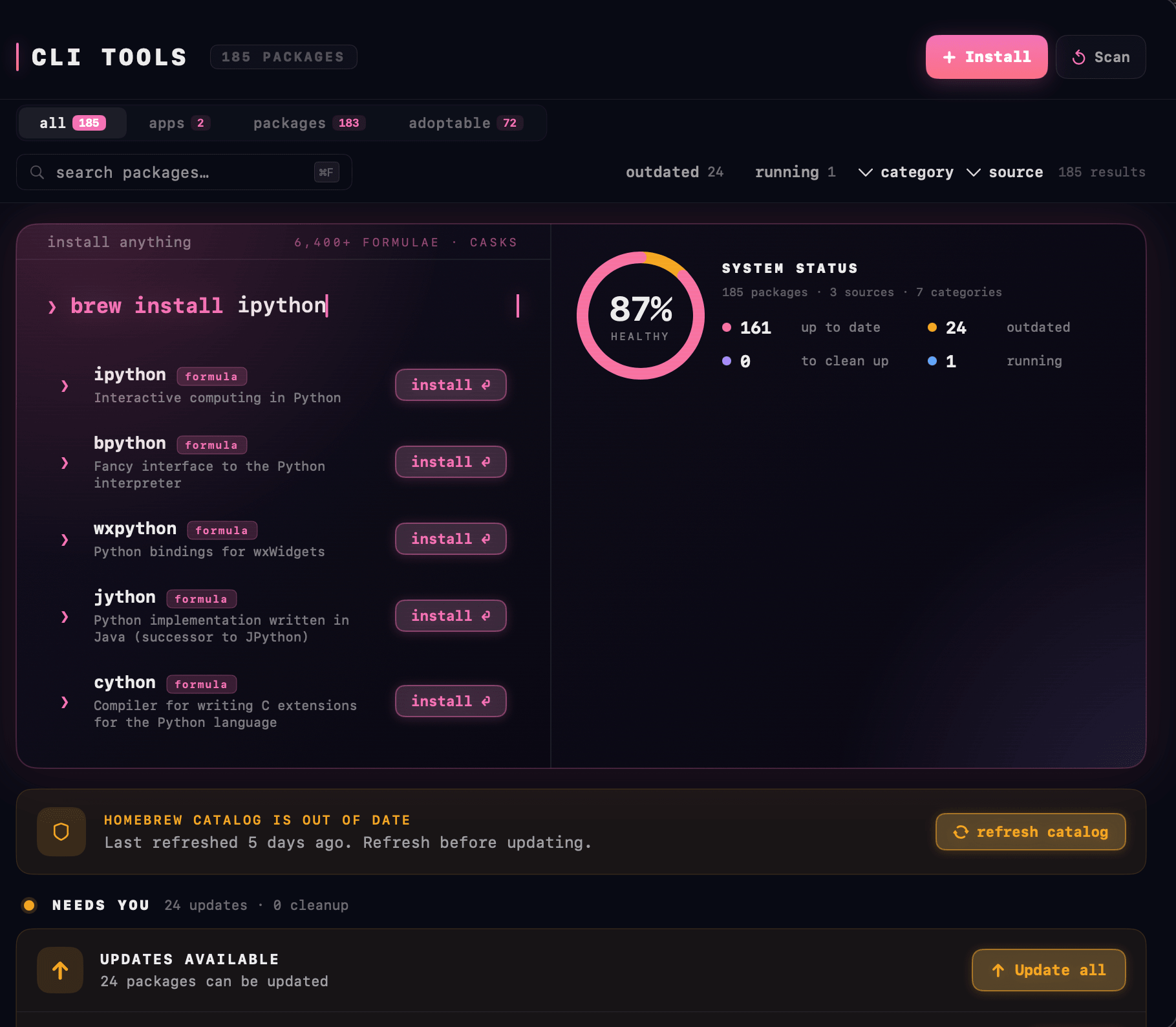
Three more things AppVault does, alongside everything above — in the same window, and entirely on your Mac.
Cataloged across /Applications, ~/Downloads, Homebrew casks, and the Mac App Store. Inspect any app — version, build number, code signature, developer — with one click.
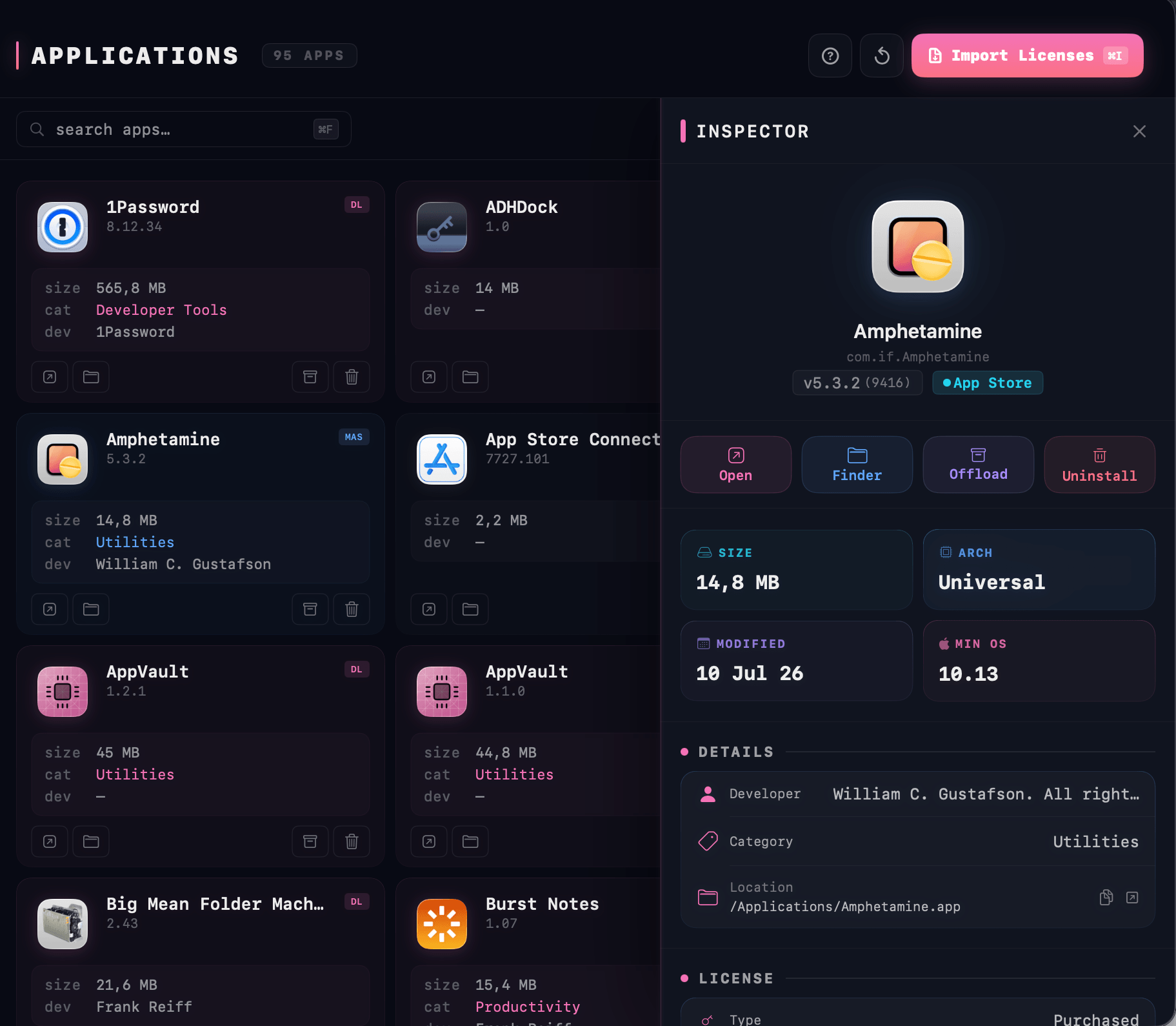
Per-app version archive before every update. One-click rollback to any prior version with preferences intact.
Master password and Touch ID. Code-signature checks per app. A signed privileged helper. Keys in Keychain. Everything stays on your Mac — no kernel extensions, no full-disk access.
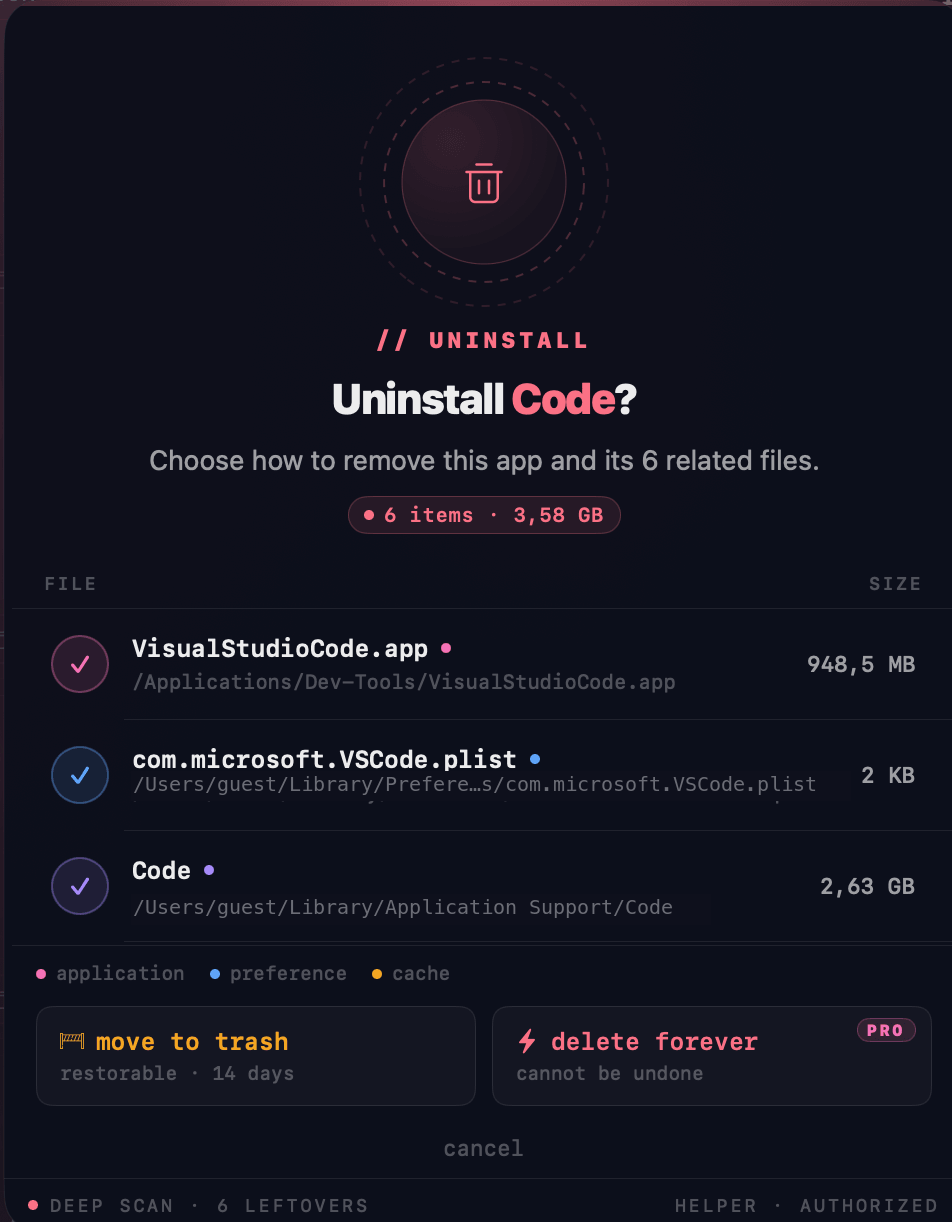
A deep uninstall finds every fragment an app leaves on disk — caches, preferences, launch agents, helper binaries, container folders. You see the whole list before anything goes, and a 14-day quarantine catches mistakes.
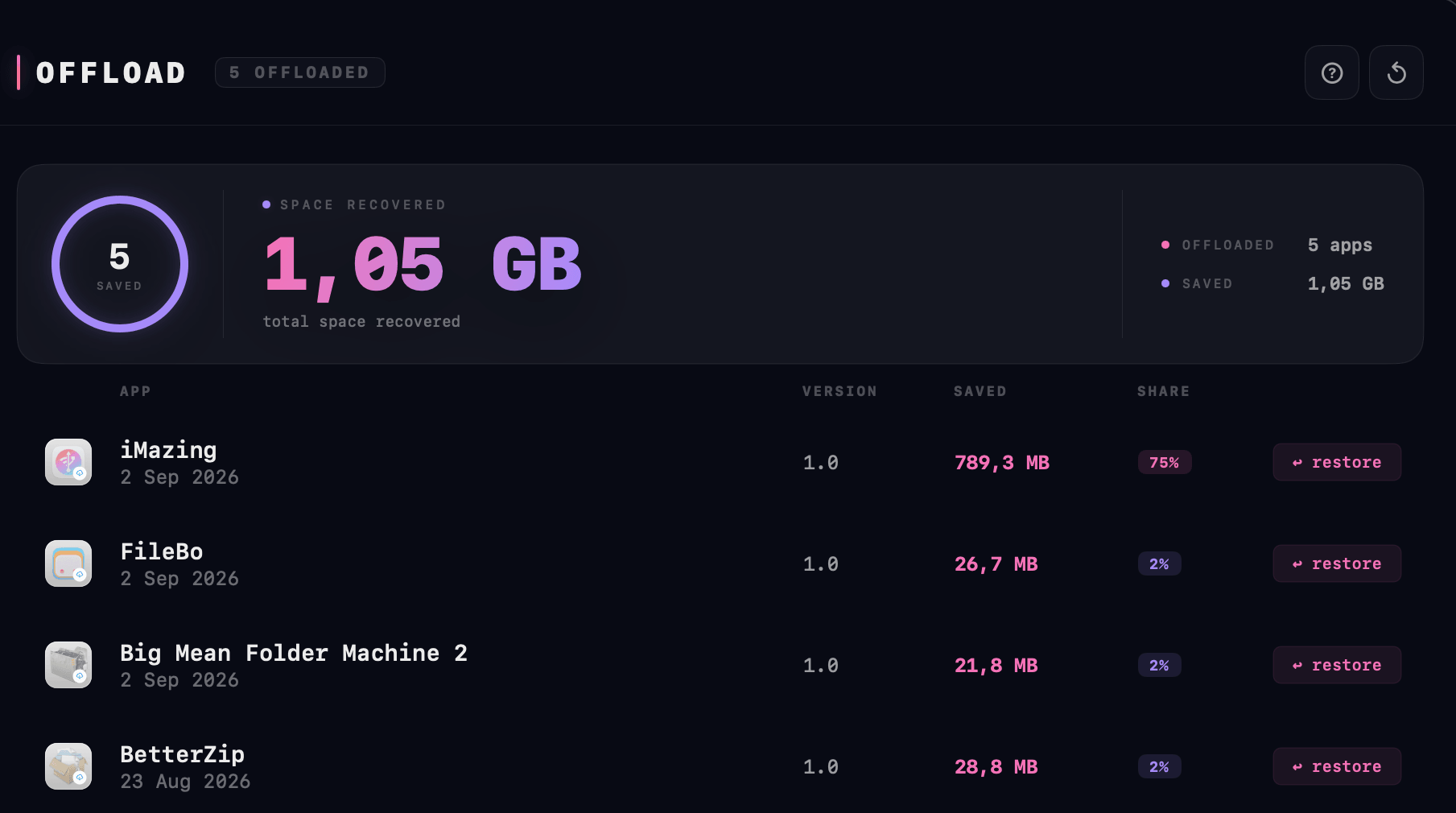
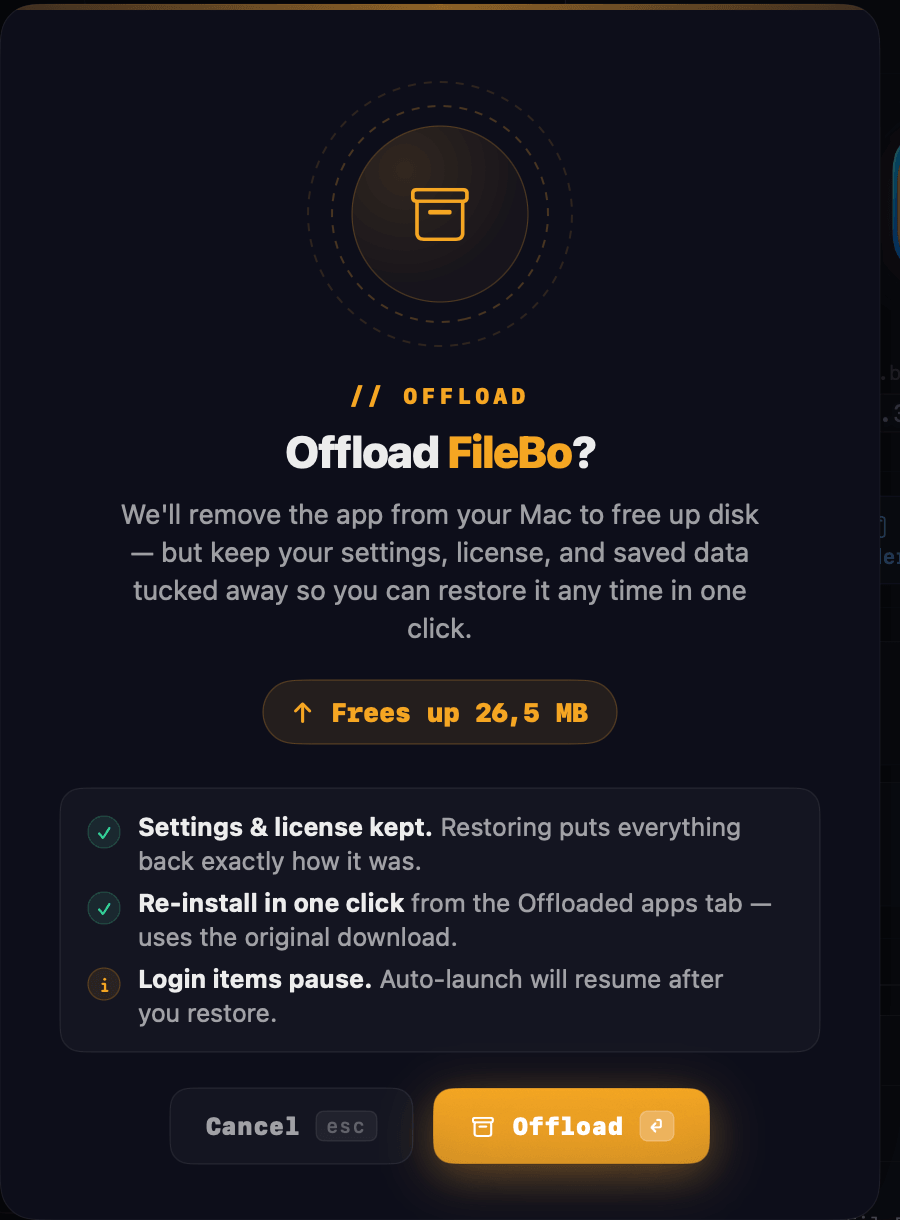
App offloading on the Mac, the way iOS does it on a phone. Pick what you never open; AppVault archives the app together with its settings, its licence and its saved data. Restoring puts every file back where it was.
Start with the free trial. Buy once and every feature, and every future update, is yours on up to 3 Macs.
The complete app, unlocked, on your own Mac and your own apps.
Lifetime licence · up to 3 Macs · free updates forever.
Local-first design. Secure by default. No system intrusion required.
Yes. Download AppVault, open it, and enter your email to start a 3-day trial with every feature unlocked. No card is needed. When the trial ends the app stays open in read-only mode, so nothing you set up is lost — buying a licence unlocks it again on the spot.
Buy on this page, then find your licence key with the order in your BundleHunt account. In AppVault open Settings › License, enter the email you bought with and the key, and press Activate. One licence covers up to 3 Macs, and you can move a licence between Macs yourself.
Sign in to bundlehunt.com and open your account: the key sits with your AppVault order, next to the download. You can also export every licence key you own as a CSV file, which AppVault imports directly into its vault.
macOS 14 Sonoma or later, running natively on Apple Silicon and Intel. AppVault uses Apple's own privileged-helper service, so there are no kernel extensions, no system extensions, and no full-disk access to grant.
AppVault checks Sparkle feeds, Homebrew casks, the Mac App Store, the Electron updater and direct download links — all at the same time. Each app is matched by its own identity rather than its name, and every update is labelled Bug Fix, Feature or Major so you know what you are installing.
App binaries, preferences, Application Support, containers, fonts, audio plugins, your Brewfile, and a full machine blueprint of login items and system settings. It is one archive, verified with SHA-256. Including your licence vault is optional and encrypted.
Keys live in the macOS Keychain, never in a plain file. An export is encrypted with AES-GCM-256 using a key derived from your password at 600,000 iterations, so a wrong password or an altered file simply refuses to open.
Yes. AppVault archives the app together with its preferences, application support and containers, leaving a placeholder in your Applications folder. Restoring puts every file back at its original path, so settings and themes come back exactly as you left them.
Yes. Open Downloads or Bundles in your BundleHunt account and press Install with AppVault. It reads the order, downloads every app you own in parallel, checks each one's signature, and stores the licence keys ready to paste.
One-time purchase · lifetime licence · 3 Macs · free updates forever.
$21.99 · instant delivery · macOS 14+
