

100% Safe and Easy-to-use NTFS for Mac Tool
- Official License
- Instant Delivery
- 1 Mac
- Secure Checkout

Donemax NTFS for Mac
Donemax Software·v2.6
- Official license · Direct from developer
- Instant Download Access
- 1 Mac
- Secure Checkout
Donemax NTFS for Mac is an easy-to-use and certified NTFS for Mac tool. It grant full read-write access to NTFS drives on Mac without any limitation. It is fully compatible with Intel-based Macs, Apple T2 Security Macs and Apple silicon Macs, supports for macOS High Sierra or later. This light & reliable NTFS for Mac software is able to quickly enable writable for NTFS drives on Mac. It means you can use NTFS external hard drive, USB flash drives, memory cards on both Windows and Mac OS without formatting. You can directly write, edit, save, copy, move, and even delete files on the NTFS hard drives.
How to Enable Writable
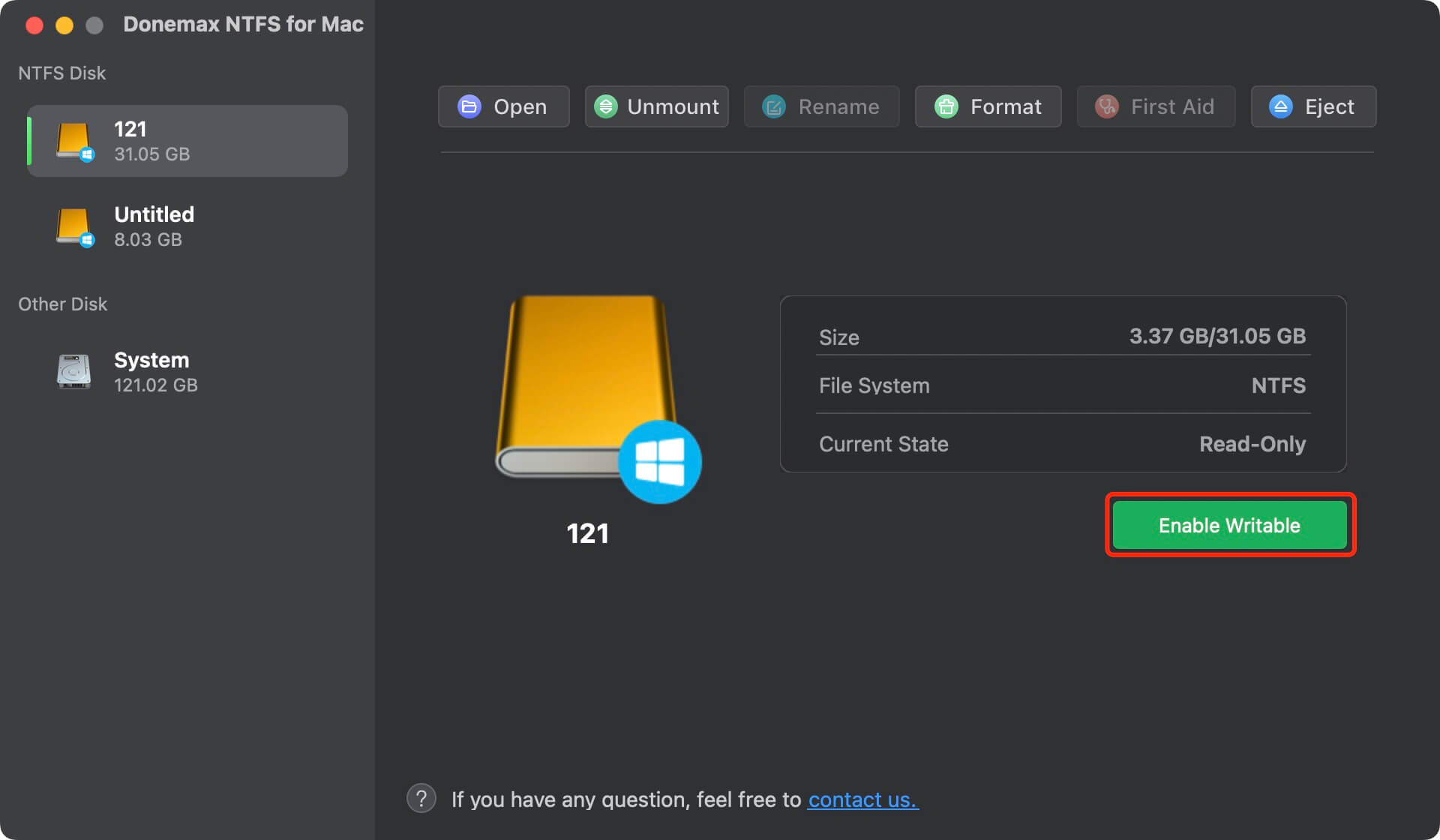
- Step 1: Download and install Donemax NTFS for Mac.
- Step 2: Open Donemax NTFS for Mac.
- Step 3: Click and select the NTFS drive and click Enable Writable.
Donemax NTFS for Mac also can help you open hard drive, mount or unmount hard drive, repair damaged hard drive, eject external hard drive in safe mode, rename hard drive or format hard drive on Mac.




What You Can Do
1 use case for Donemax NTFS for Mac
Frequently Asked Questions
Common questions about this deal
01What's included with Donemax NTFS for Mac on BundleHunt?
Donemax NTFS for Mac on BundleHunt includes a license key and instant download access. The license is obtained directly from the developer and activates the latest version of the software.
02How do I get my Donemax NTFS for Mac license key?
After purchasing Donemax NTFS for Mac through BundleHunt, your license key and download link will be available immediately in your account under "Downloads & Licenses". You can access them anytime.
03What version of Donemax NTFS for Mac will I receive?
You will receive the developer's most up-to-date version of Donemax NTFS for Mac, fully activated and ready for immediate use.
