

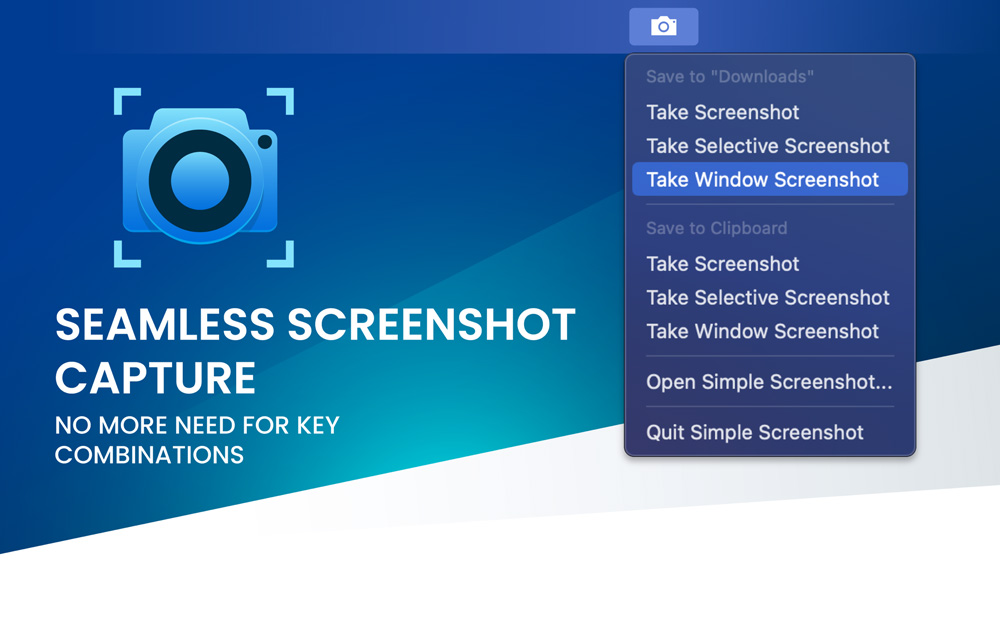
Easily take screenshots on your Mac and save them to any folder or the clipboard. Simple Screenshot is easily accessible in the menubar
- Official License
- Instant Delivery
- 1 Mac
- Secure Checkout

Simple Screenshot
Simple Screenshot·v3.1
- Official license · Direct from developer
- Instant Download Access
- 1 Mac
- Secure Checkout
Take stunning screenshots seamlessly integrated into macOS, enhancing your productivity with ease. Simple Screenshot is designed to save you time, allowing you to focus on your tasks. There is no more need to remember keyboard combinations.
Key Features
- Quick and Easy Access: Simple Screenshot lives in the menubar, making it incredibly accessible for instant use.
- Intuitive User Interface: Our clean and straightforward interface ensures that you can capture screenshots without any hassle.
- Customizable Save Locations: Easily change the location where your screenshots are saved to suit your workflow.
- Enhanced Productivity: Streamline your screenshot process, saving you valuable time and improving your efficiency.
- Supports All Major Formats: Save your screenshots in a variety of formats to meet your specific needs.
- Retina Display Support: Enjoy high-resolution screenshots that look perfect on any display.
- Integrated with macOS: Simple Screenshot blends seamlessly into macOS, ensuring a smooth and native user experience.
Why Choose Simple Screenshot?
With Simple Screenshot, capturing beautiful and precise screenshots has never been easier. Whether you're a professional needing detailed visuals or a casual user wanting quick captures, Simple Screenshot provides the perfect solution, right at your fingertips.
Start using Simple Screenshot today and elevate your screenshot-taking experience!
Features
- Take screenshots of entire screen(s), selections or windows and save them to any folder you specify
- Take screenshots of entire screen(s), selections or windows and save them to the clipboard for pasting
- Customize screenshot specific settings like: output type (png, jpg, gif...), whether to capture the cursor, play a sound and more.
- Supports Dark Mode
- Supports Apple Silicon and Retina displays







What You Can Do
1 use case for Simple Screenshot
Frequently Asked Questions
Common questions about this deal
01What's included with Simple Screenshot on BundleHunt?
Simple Screenshot on BundleHunt includes a license key and instant download access. The license is obtained directly from the developer and activates the latest version of the software.
02How do I get my Simple Screenshot license key?
After purchasing Simple Screenshot through BundleHunt, your license key and download link will be available immediately in your account under "Downloads & Licenses". You can access them anytime.
03What version of Simple Screenshot will I receive?
You will receive the developer's most up-to-date version of Simple Screenshot, fully activated and ready for immediate use.
