


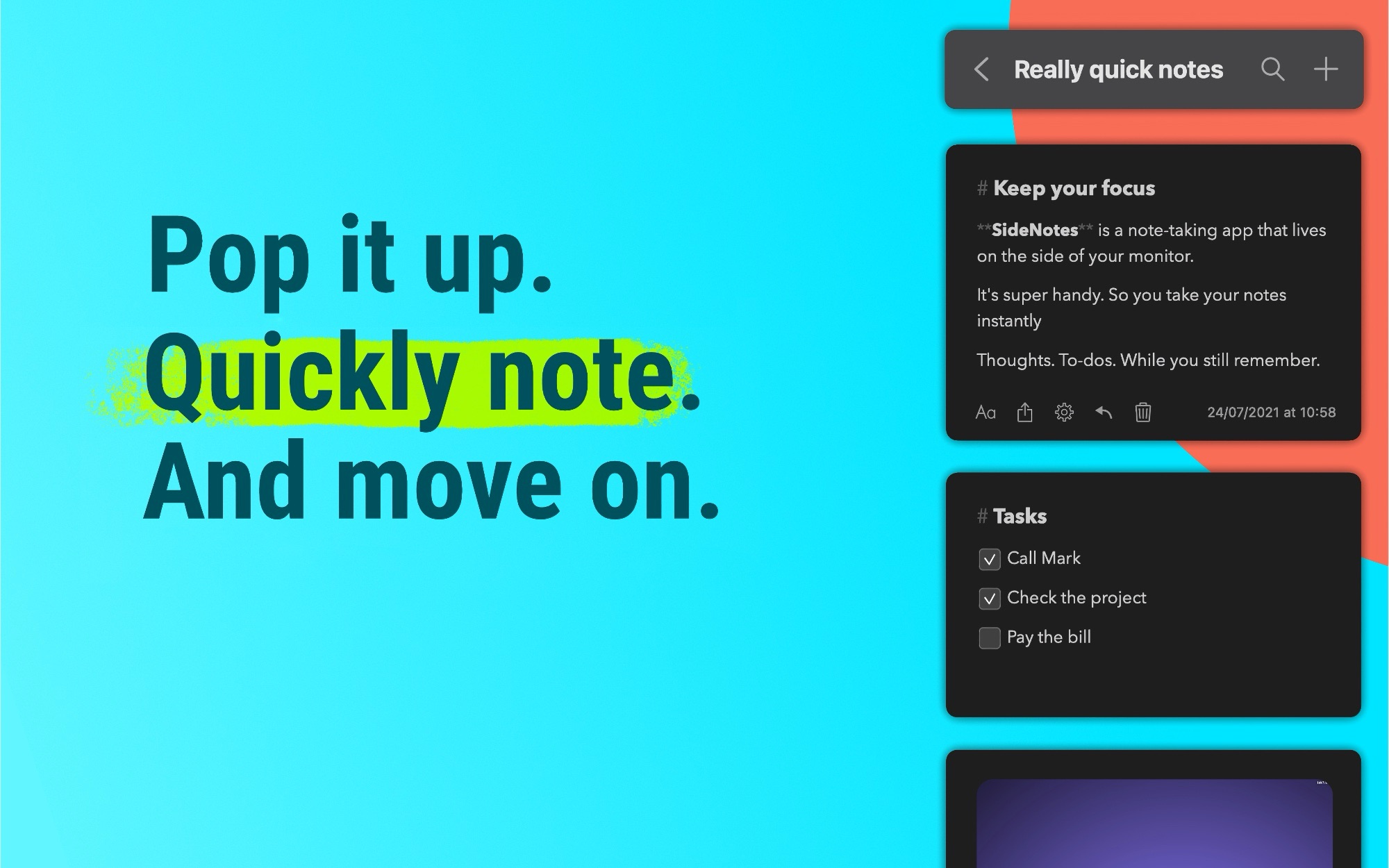
SideNotes keeps your notes on the side of the screen. Appears when you click a little bar or move your cursor to the screen side.
- Official License
- Instant Delivery
- 5 Macs
- Secure Checkout

SideNotes
Apptorium·v1.4.18
- Official license · Direct from developer
- Instant Download Access
- 5 Macs
- Secure Checkout
A fast note-taking. SideNotes is designed to take notes instantly. Now with Apple Shortcuts support (it requires macOS 12), exporting note to image, iCloud synchronization (it requires macOS 11 or newer) and themes.
How is this app different? SideNotes lives on the side of your monitor. Don’t look for its icon in the Menu bar or in the Dock. Just move your cursor to the side of your screen and press the semi-transparent bar.
It’s prettier than sticky notes and more agile than big text editors. A tool to catch fleeting thoughts on the go.
SideNotes shows you several notes at once. Just scroll to see more notes in a folder.
Designed for momentary notes: phone numbers, links, screenshots. Drop them in SideNotes for now. Then move them to your writing app or task manager. Or just let them stay at your fingertips in SideNotes.
It’s a cozy place for your: ideas, inspirational quotes, pictures, fragments of code, vocabulary, recipes. Just anything that might get lost if not saved in a flash.
Its slim window gives you enough space for convenient writing. At the same time it’s small enough not to distract you from your main workflow.
You can make your notes stand out by adding colors to them.
SideNotes is for those who love to keep their countless notes handy and organised.
With SideNotes you can:
- smoothly pull out your notes from outside your monitor and easily hide them back
- mark notes with colors and group them into folders
- choose themes
- drag and drop pictures directly from your web browser
- save links, code snippets or even colors
- create task lists and mark items done
- create notes directly from the pasteboard
- drop text files or pictures, so they will be added as new notes
- drop any other files and application will keep shortcut to them with a nice preview
- search for any notes or folders
- use 3 text formatting modes: Markdown, Plain Text and Code.
- synchronise your notes between computers







What You Can Do
1 use case for SideNotes
Frequently Asked Questions
Common questions about this deal
01What's included with SideNotes on BundleHunt?
SideNotes on BundleHunt includes a license key and instant download access. The license is obtained directly from the developer and activates the latest version of the software.
02How do I get my SideNotes license key?
After purchasing SideNotes through BundleHunt, your license key and download link will be available immediately in your account under "Downloads & Licenses". You can access them anytime.
03What version of SideNotes will I receive?
You will receive the developer's most up-to-date version of SideNotes, fully activated and ready for immediate use.
