

ScreenPlace remembers exactly where every window should be on your Mac and automatically puts it back in its place.
- Official License
- Instant Delivery
- 1 Mac
- Secure Checkout

ScreenPlace
DesignTech SIA·v2.3
- Official license · Direct from developer
- Instant Download Access
- 1 Mac
- Secure Checkout
Welcome to ScreenPlace
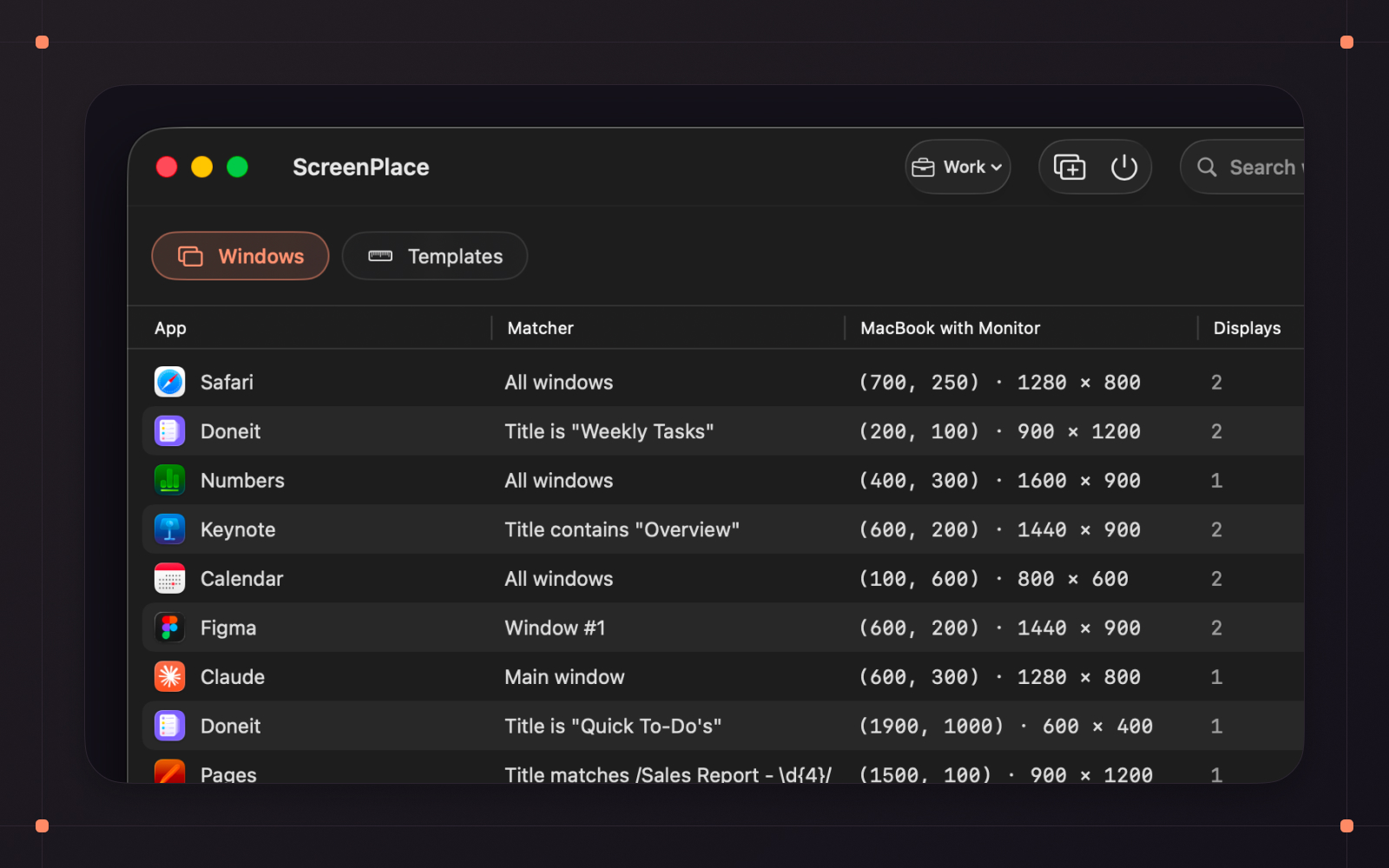
ScreenPlace remembers exactly where every window should be on your Mac and automatically puts it back in its place. Never rearrange or resize a window again because ScreenPlace can handle it for you automatically.
Badge is the defining experience of ScreenPlace - a floating companion that stays close to your windows and lets you snap them back into place with a single click. You can also group your apps into separate workspaces and switch between them in seconds, save reusable templates for the window sizes and positions you frequently use, and have a separate layout for every display setup you use so the right one applies the moment you connect. Global shortcuts let you switch between workspaces or apply window sizes and positions from anywhere on your Mac, and with auto-apply, your windows are already in place by the time you need them.
ScreenPlace is built to stay out of the way and just work. It's a fully native macOS app, customizable down to the smallest detail, with a one-time payment and no subscription - so you can set it up once to suit how you actually work, and let it quietly keep all of the windows in place on your Mac.
Key Features







What You Can Do
1 use case for ScreenPlace
Frequently Asked Questions
Common questions about this deal
01What's included with ScreenPlace on BundleHunt?
ScreenPlace on BundleHunt includes a license key and instant download access. The license is obtained directly from the developer and activates the latest version of the software.
02How do I get my ScreenPlace license key?
After purchasing ScreenPlace through BundleHunt, your license key and download link will be available immediately in your account under "Downloads & Licenses". You can access them anytime.
03What version of ScreenPlace will I receive?
You will receive the developer's most up-to-date version of ScreenPlace, fully activated and ready for immediate use.
