Unlock 1,200+ hidden macOS settings and run maintenance tool...
35% OFF
From
$19.47$29.95
SAVE $10.48
Offer Expired
This special offer has ended. Get notified when similar deals become available.
Unlock 1,200+ hidden macOS settings and run maintenance tool...
Grab text from anywhere on screen — images, video, PDFs, scr...
Shrink oversized PDFs without visible quality loss. Drag, dr...
AppVault snapshots your setup, updates apps, secures keys, a...
Search through your PDF documents fast.
This deal is no longer available.
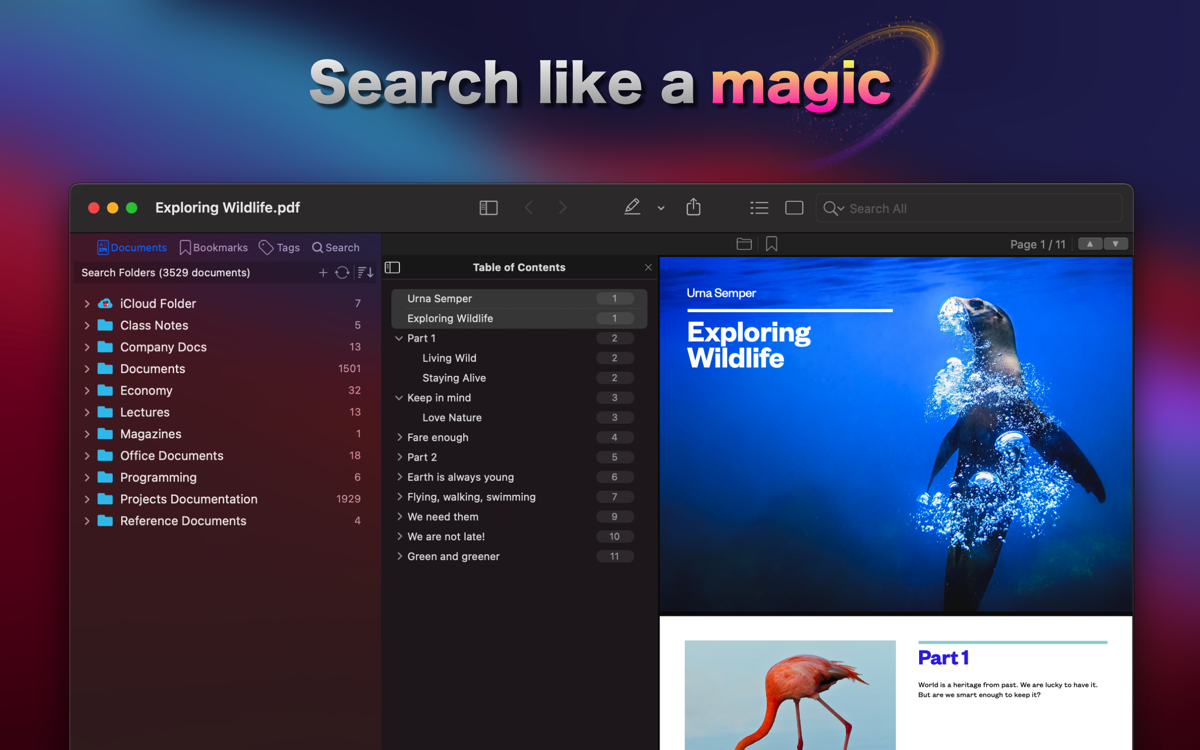
PDF Search is an application that allows you to quickly search through a large number of documents.
It has the most advanced algorithm to search documents. It searches as fast as a computer, as intelligent as a human.
PDF Search indexes documents with their own language characteristics. It detects words, plurals, and lemmas using Apple Natural Language framework. So when you search, it searches by taking into account the meanings of the words.
Let's say, you are searching for work with mouse keywords in multiple documents. With the help of the Natural Language Processing feature, PDF Search will find also pages containing work with mice keywords which include the plural of the mouse.
You've made your search in thousands of documents, and you've found pages about your search in dozens of them. You need to share the results with your colleagues. Do you have to share all documents containing hundreds of pages to share just dozens of related pages? Not anymore. PDF Search allows you to export the most relevant pages in search results as a new PDF document. So you can share a summary report with your friends with a single document.
PDF Search also supports office documents (Word, Powerpoint, Pages, Keynote, RTF), text files (TXT, TEXT, ME), and source codes (C, Java, Objective-C, Swift, XML, Python). You can search and view them as fast as PDF. It does not even need to have native applications installed.
If you have both macOS and iOS version of PDF Search, you can easily sync all your documents from Mac to iPhone or iPad over WiFi or Lightning Cable. This is very handy especially when you have thousands of documents. All index databases and files are copied. You will not need to index all these documents again on iOS device. It will be ready to search right after the sync process.
PDF Search makes intelligent search. Instead of checking only existency, It analyses all pages separately and makes a relevancy check for each of them according to given keywords.
This check is similar to how a human checks documents. For example, a human is more interested in a page if it has a title containing keywords.
PDF Search combines all these kinds of checks into a brand new artificial intelligence algorithm. Using this, it finds the most relevant pages instantly among thousands of documents.
Analysts, researchers, academics, developers, teachers, students, and whoever having lots of documents within their workflow. This app will change your life.
It will boost your productivity in a manner which you wouldn't expect.
Common questions about this deal
PDF Search on BundleHunt includes a license key and instant download access. The license is obtained directly from the developer and activates the latest version of the software.
After purchasing PDF Search through BundleHunt, your license key and download link will be available immediately in your account under "Downloads & Licenses". You can access them anytime.
You will receive the developer's most up-to-date version of PDF Search, fully activated and ready for immediate use.