


90+ hidden macOS settings as labelled switches, each with an undo button. Recipes apply a whole setup in one click. No Terminal, nothing deleted.
- Official License
- Instant Delivery
- 3 Macs
- Secure Checkout

Mainspring
Caretopia Network Labs·v3.2.1
- Official license · Direct from developer
- Instant Download Access
- 3 Macs
- Secure Checkout
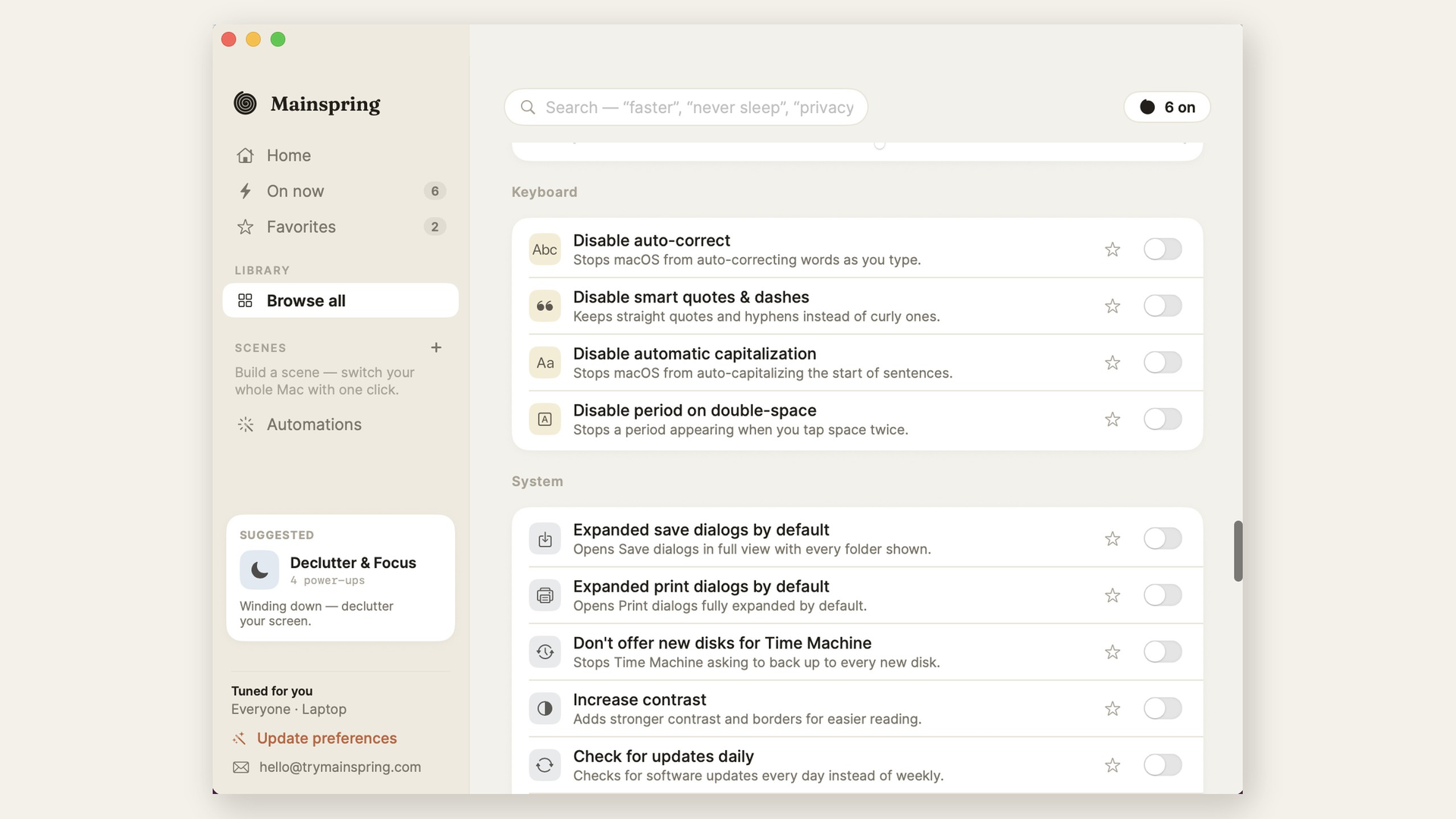
Mainspring turns the macOS settings Apple never gave you a checkbox for into labelled switches, and puts an undo button next to every one of them.
You know the loop. You want to change something in macOS, you search for it, you find a defaults write command on a forum from 2019, you paste it into the Terminal, and it works. Then you want it back the way it was, and nobody wrote down the command for that. Mainspring records the previous value before it writes anything, so putting it back is one click.
Over 90 settings, in one window
- Stop the Dock launch bounce: and show the Dock instantly instead of on a delay
- Reduce motion: and switch off window open and close animations
- Show hidden files in Finder: keep folders on top when sorting, turn on the path bar
- Save screenshots as JPG: remove the drop shadow, skip the floating thumbnail
- Faster key repeat: and a shorter delay before it kicks in
- Seconds: the date and the day of the week in the menu bar clock
- Turn off personalized ads: Ask Siri and Look Up web suggestions
- Quit Finder with Command Q: and drop the warning when changing a file extension
Recipes
A recipe applies a whole group of settings at once. Speed Boost, Screenshot Studio, Privacy and Security, Declutter and Focus, Writer's Focus, Finder Power, Power-User Windows, Meeting Mode and Developer Setup. It is how you set up a new Mac, or hand a machine to someone else, without doing twenty things by hand.
Clean Mode
Lock the keyboard, trackpad and mouse so you can physically wipe your Mac down without typing into whatever is open. The screen stays on so you can see what you are doing. Hold to unlock.
Every change is reversible
Nothing is deleted and no system files are patched. Mainspring only writes documented preference keys, and it snapshots the old valuefirst. An On Now view lists everything you have currentlany of it back, or all of it, whenever you want. Eachtweak is also gated to the macOS versions where it actually does something, so you never see a switch that would do nothing on yourmachine.
Details
- Native Mac app: signed with a Developer ID and notariz
- macOS 13 Ventura and later: Intel and Apple silicon
- Free trial: no account and no card
- 29 dollars once: No subscription
- trymainspring.com








What You Can Do
1 use case for Mainspring
Frequently Asked Questions
Common questions about this deal
01What's included with Mainspring on BundleHunt?
Mainspring on BundleHunt includes a license key and instant download access. The license is obtained directly from the developer and activates the latest version of the software.
02How do I get my Mainspring license key?
After purchasing Mainspring through BundleHunt, your license key and download link will be available immediately in your account under "Downloads & Licenses". You can access them anytime.
03What version of Mainspring will I receive?
You will receive the developer's most up-to-date version of Mainspring, fully activated and ready for immediate use.
