


Create polished DVDs from any video file with beautiful menus and basic editing tools. Simple steps, pro outputs.
- Official License
- Instant Delivery
- 1 Mac
- Secure Checkout

iFunia DVD Creator
iFunia·v5.0.0
- Official license · Direct from developer
- Instant Download Access
- 1 Mac
- Secure Checkout
Powerful Yet Intuitive DVD Authoring Software
iFunia DVD Creator lets you burn videos to professional DVDs with custom menus and full editing control. It creates DVDs that play flawlessly on nearly all DVD players with consistent quality preservation.
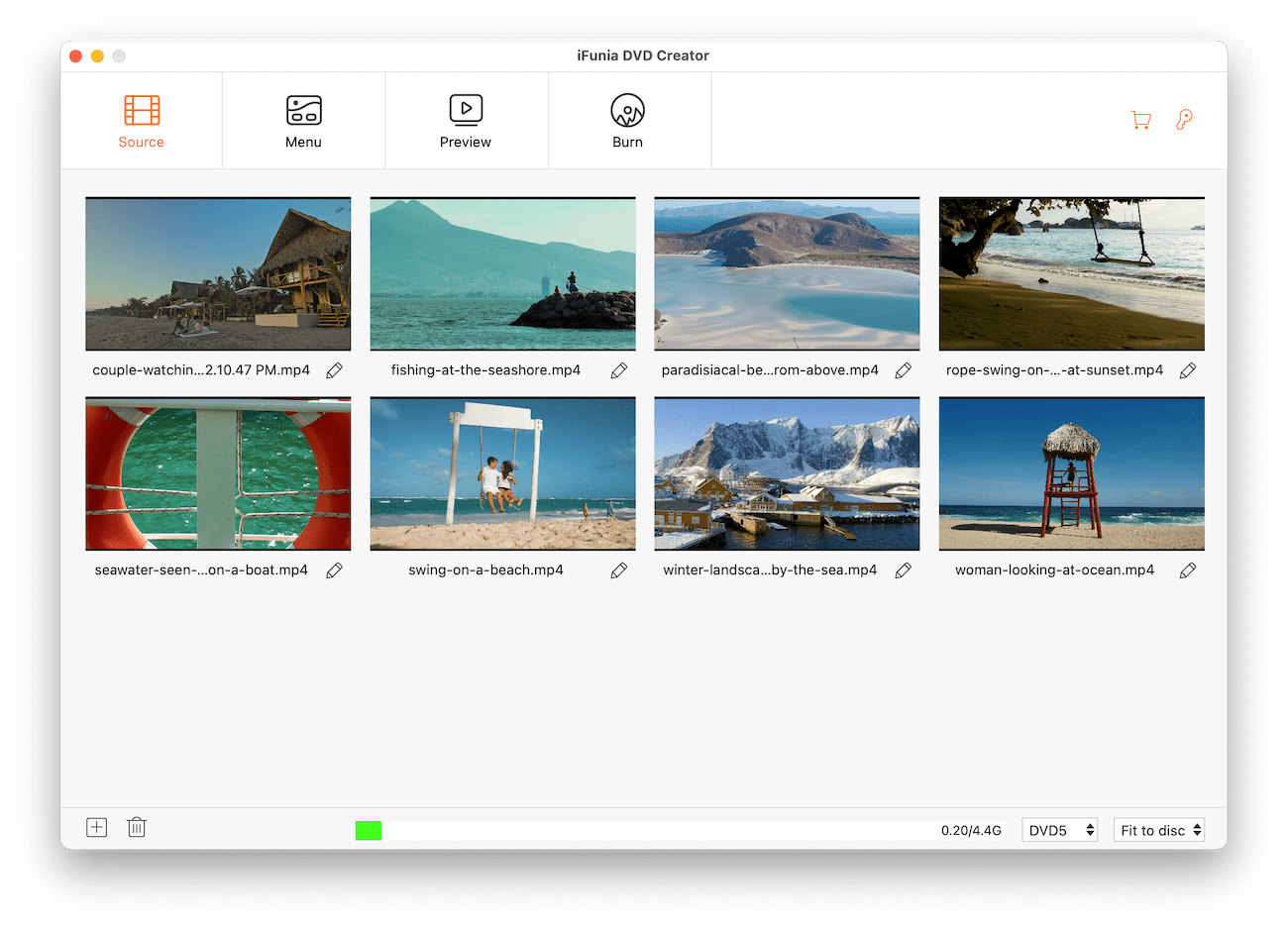
1. Import Your Videos in Any Format
Drag and drop your videos in any format - MP4, MOV, AVI, MKV, WMV, FLV, MTS, M2TS, 3GP, and more. No conversion needed.
2. Intelligent DVD Creation Modes
Select from three optimized burning modes: High Quality (best video quality), Fit to disc (compress intelligently to save capacity), or Standard (fast burning with balanced quality).
3. Edit & Improve Videos
Editing Tools
- Trim unwanted clips
- Remove black bars and adjust aspect ratio to get the ideal framing
- Turn videos 90° in any direction, or flip them vertically/horizontally
- Fine-tune brightness/contrast/tint/saturation/temperature
- Add custom watermarks
- Insert chapter markers for navigation
- Include permanent subtitles
- Control sound volume
4. Make Stylish & Customizable DVD Menus
Create polished menus using ready-made templates or fully customized designs. Personalize every element:
Menu Customization
- Backgrounds - Choose from templates, upload your own images, or pick solid colors
- Buttons - Change title and menu buttons
- Text - Customize text fonts, sizes, and colors for menu titles and button labels.
- Music - Add background audio tracks
5. Quick DVD Preview
See exactly how your DVD will look and play before creating, with a simple built-in preview that shows menus and video playback.
6. Create DVDs Effortlessly
DVD Creation Options
- Burn your project to DVD disc, DVD folder (VIDEO_TS ), or ISO image
- Choose TV standard (NTSC or PAL) based on your region or country
- Play all titles sequentially, return to menu after one title, or set titles/menus to loop
- If needed, set the desired number of DVD copies for batch burning
- One click to create a DVD
7. Ease of Use
Guide you step by step, from choosing your source files, setting up the menu, previewing your project, to burning the disc. The simple interface ensures fast, hassle-free operation with high performance.







What You Can Do
1 use case for iFunia DVD Creator
Frequently Asked Questions
Common questions about this deal
01What's included with iFunia DVD Creator on BundleHunt?
iFunia DVD Creator on BundleHunt includes a license key and instant download access. The license is obtained directly from the developer and activates the latest version of the software.
02How do I get my iFunia DVD Creator license key?
After purchasing iFunia DVD Creator through BundleHunt, your license key and download link will be available immediately in your account under "Downloads & Licenses". You can access them anytime.
03What version of iFunia DVD Creator will I receive?
You will receive the developer's most up-to-date version of iFunia DVD Creator, fully activated and ready for immediate use.
