
Unlock 1,200+ hidden macOS settings and run maintenance tool...
35% OFF
From
$19.47$29.95
SAVE $10.48
Offer Expired
This special offer has ended. Get notified when similar deals become available.
Unlock 1,200+ hidden macOS settings and run maintenance tool...
Grab text from anywhere on screen — images, video, PDFs, scr...
Shrink oversized PDFs without visible quality loss. Drag, dr...
AppVault snapshots your setup, updates apps, secures keys, a...
Synchronize and back-up files, folders and disks.
This deal is no longer available.
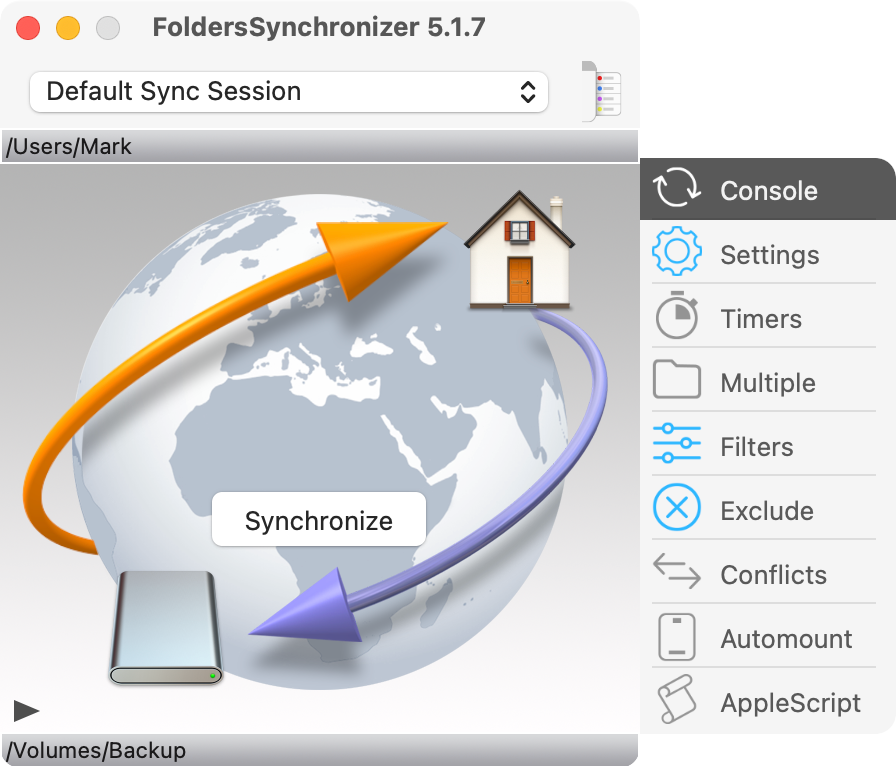
You can choose one or more pairs of files, folders or disks then FS will synchronize or backup those exactly.
FS lets you organize your sync and backup on several sessions you can save to a file for a later reuse.
On each session you can apply special options like Timers, Multiple Folders, Filters, Exclude Items, Auto-Mount local and remote volumes, launch your own AppleScripts, set how to resolve conflicts, execute an incremental or an exact copy, include locked files...
FS can display a preview panel listing all the files FS is going to copy, replace and delete. FS can save a log file or send it to a custom email address, and it can sync and automatically quit the application…
FoldersSynchronizer has been successfully tested on macOS 10.15 Catalina. Look at the previous versions for the previous OS, for Intel and PPC machines.
When backing up, the destination folder will be upgraded with the newest files, the new files (new entries), and the new Folders (new entries) coming from the source folder. The source folder will be left untouched.
FoldersSynchronizer can execute incremental or exact backups. The incremental backup (default) never deletes items. The exact backup deletes from the destination folder, all the items no longer exist in the source folder, and it never deletes items from the source folder.
When synchronizing, the old files will be replaced with the newest files in both directions. The new files (new entries) will be copied in both directions, as well as new Folders.
The old Folders will not be replaced entirely by the newer ones, as the Finder used to do, but their content will be updated with the most recent files, the new files (new entries), and new Folders (new entries.
FoldersSynchronizer can execute incremental or exact synchronizations. The incremental synchronization (default) never deletes items from the folders. The exact synchronization deletes from a folder, all the items no longer exist in the mirror folder.
Common questions about this deal
FoldersSynchronizer on BundleHunt includes a license key and instant download access. The license is obtained directly from the developer and activates the latest version of the software.
After purchasing FoldersSynchronizer through BundleHunt, your license key and download link will be available immediately in your account under "Downloads & Licenses". You can access them anytime.
You will receive the developer's most up-to-date version of FoldersSynchronizer, fully activated and ready for immediate use.