Unlock over a thousand hidden macOS settings and run one-cli...
35% OFF
From
$19.47$29.95
SAVE $10.48
Offer Expired
This special offer has ended. Get notified when similar deals become available.
Unlock over a thousand hidden macOS settings and run one-cli...
Grab text from anywhere on screen — images, video, PDFs, scr...
Shrink oversized PDFs without visible quality loss. Drag, dr...
AppVault snapshots your setup, updates apps, secures keys, a...
Read, write, edit, delete or add data to NTFS drives on your Mac.
This deal is no longer available.
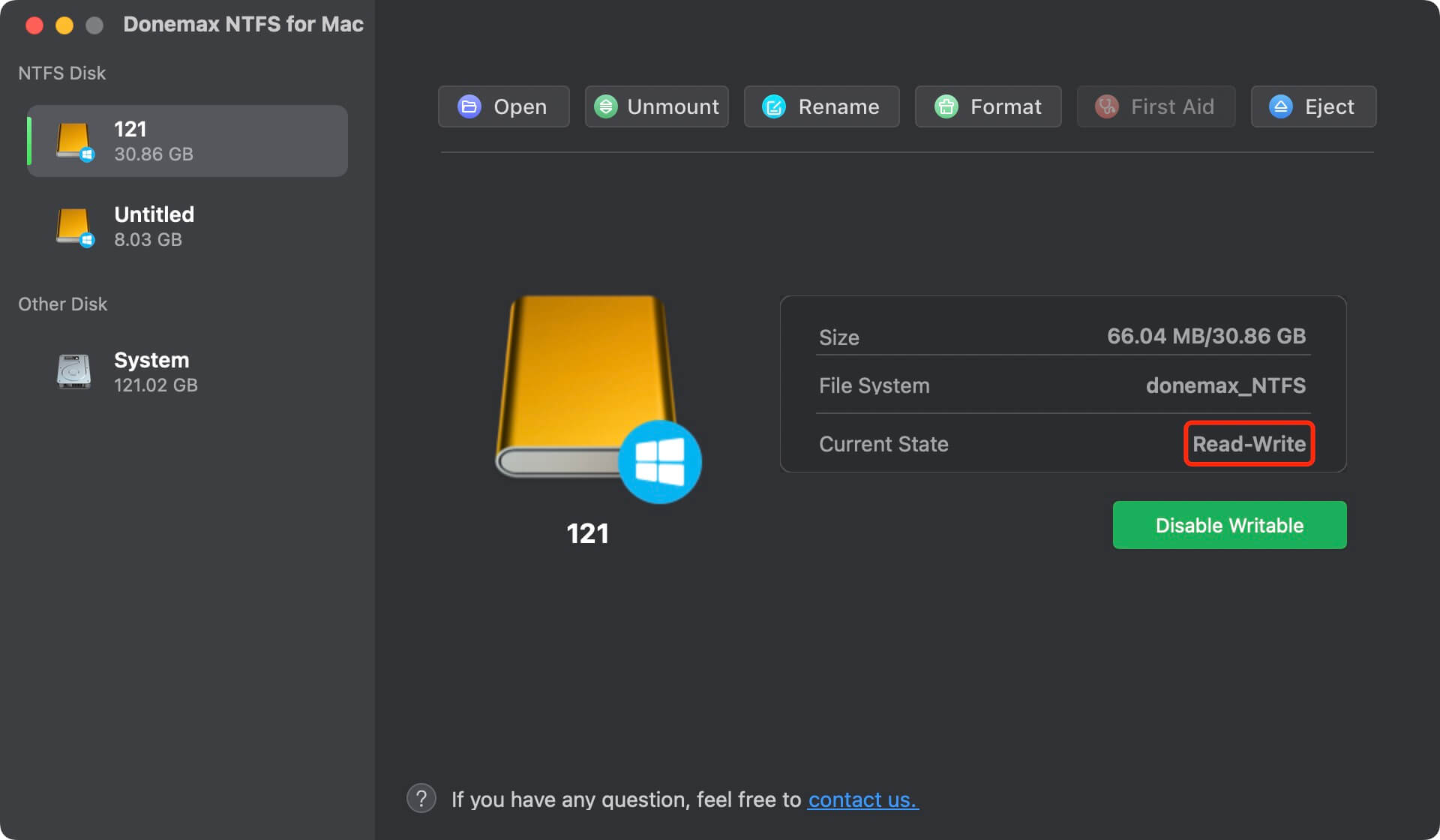
After installing Donemax NTFS for Mac, you can manage all NTFS drives via the NTFS for Mac menu bar. You can quickly mount and unmount any NTFS drive on your Mac and allows to write to the NTFS drive so that you can edit, save, copy, cut, move, delete, add files in the drive - it means you can use the NTFS drive on your Mac without any limitation.
When you connect an NTFS drive to your Mac, you will find you can’t mount it, can’t edit files or add files to it. It’s because that Microsoft NTFS is not compatible with your macOS. Don’t worry, Donemax NTFS for Mac can remove all the limitations. You just need to install it on your Mac, then you can mount the NTFS drive and get the full read-write access.
Mount/Unmount NTFS Drive on Mac
Normally, the NTFS drive can’t mount on your Mac. NTFS for Mac allows you to quickly mount or unmount NTFS drive by only 1 click.
Enable NTFS Drive Write on Mac
Enable NTFS write so that you can edit, delete, add, move, save files in the NTFS drive without formatting it.
NTFS Driver for Internal/External Drive
Donemax NTFS for Mac supports to read & write internal NTFS volumes and external NTFS hard drives, HDD/SSD/USB drive included.
NTFS Driver for Apple Silicon Mac
Donemax NTFS for Mac is fully compatible with both Intel-based Macs and Macs with Apple silicon such as M1 and M2 Macs.
Super Fast Speed
High-speed to transfer data or manage data on NTFS drive on your Mac, it will never let you down.
Support Encrypted Drive</b
Support for encrypted drive such as Boot Camp volume or Bit-locker encrypted hard drive.
Donemax NTFS for Mac is 100% safe NTFS for Mac solution and can be used on the latest macOS or old OS X operating systems. It grants you full read and write access to NTFS drives on your Mac without any limitation or security issue.
This software is very easy-to-use. You just need to install it on your Mac, then all operations are just one click away.
Donemax NTFS for Mac is not only an NTFS driver for Mac, but it is also an easy-to-use disk manager for Mac. It also can help you format any type of hard drive or external device on Mac (NTFS drive or non-NTFS drive), rename disk or eject external storage device in safe mode.
Open Donemax NTFS for Mac. When you use it for the first time, you should get the NTFS for Mac permission from your Mac. Then you can enable writable for all NTFS drives on Mac
Common questions about this deal
NTFS for Mac on BundleHunt includes a license key and instant download access. The license is obtained directly from the developer and activates the latest version of the software.
After purchasing NTFS for Mac through BundleHunt, your license key and download link will be available immediately in your account under "Downloads & Licenses". You can access them anytime.
You will receive the developer's most up-to-date version of NTFS for Mac, fully activated and ready for immediate use.