

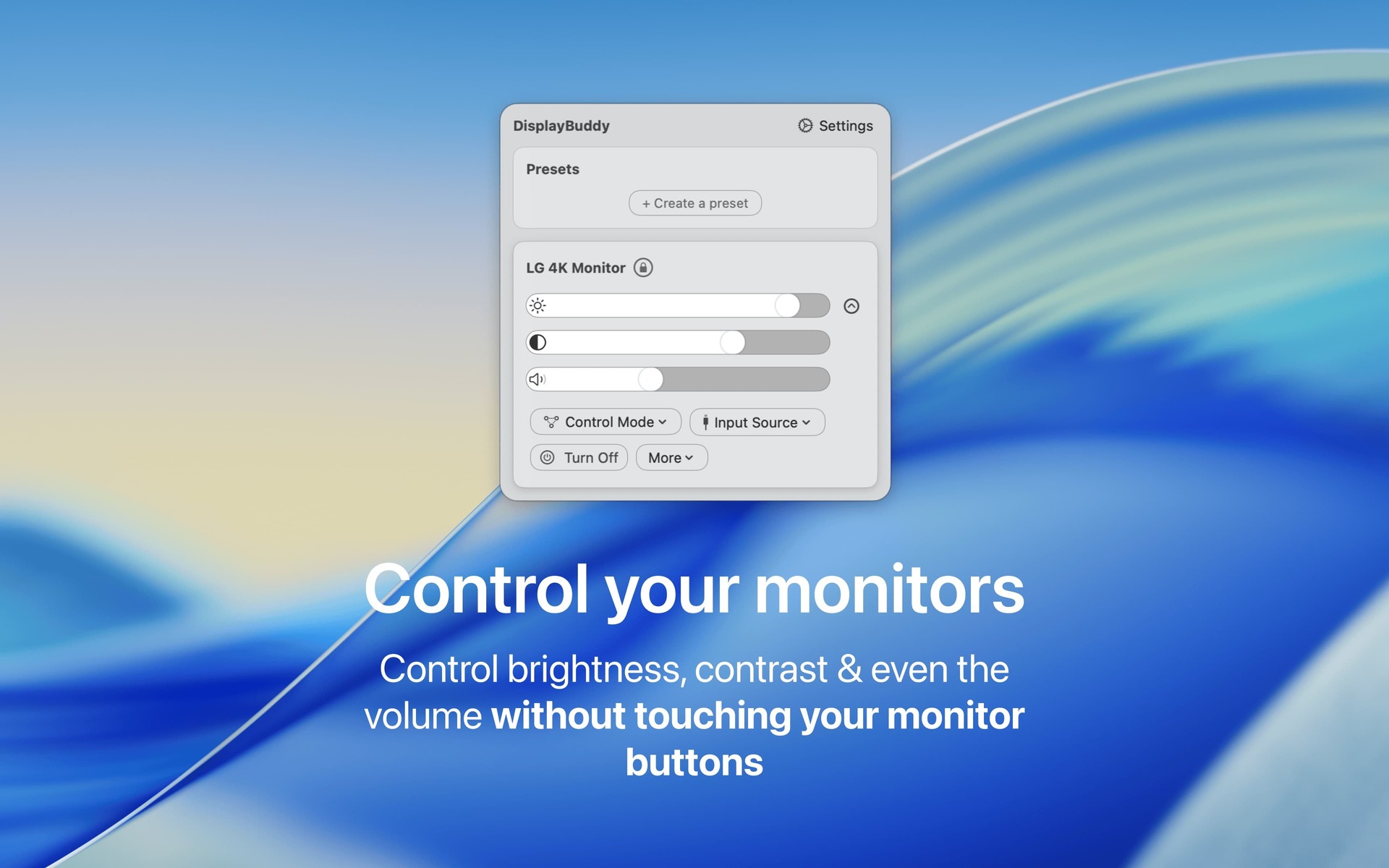
Control the real brightness of your monitors directly from your Mac – no need to touch your clunky monitor buttons!
- Official License
- Instant Delivery
- 1 Mac
- Secure Checkout
DisplayBuddy
Onlabs·v3.1.0
- Official license · Direct from developer
- Instant Download Access
- 1 Mac
- Secure Checkout
DisplayBuddy lets you control the real brightness of your monitors directly from your Mac—no
need to touch your clunky monitor buttons. It’s been tested on a wide range of monitors from
Dell, Acer, LG, Samsung, BenQ, and Asus, and works flawlessly with most displays.
DisplayBuddy is a full‑fledged display manager for Mac and can also control the volume for
monitors with built‑in speakers.
Features







What You Can Do
1 use case for DisplayBuddy
Frequently Asked Questions
Common questions about this deal
01What's included with DisplayBuddy on BundleHunt?
DisplayBuddy on BundleHunt includes a license key and instant download access. The license is obtained directly from the developer and activates the latest version of the software.
02How do I get my DisplayBuddy license key?
After purchasing DisplayBuddy through BundleHunt, your license key and download link will be available immediately in your account under "Downloads & Licenses". You can access them anytime.
03What version of DisplayBuddy will I receive?
You will receive the developer's most up-to-date version of DisplayBuddy, fully activated and ready for immediate use.
