


cyberWriter is a native MacOS markdown and live html editor with integrated Apple Intelligence and local AI -Mermaid, KaTeX, CSS, PDF support built in
- Official License
- Instant Delivery
- 3 Macs
- Secure Checkout

cyberWriter
John Taverna·v3.8
- Official license · Direct from developer
- Instant Download Access
- 3 Macs
- Secure Checkout
The Markdown Vault from the Future
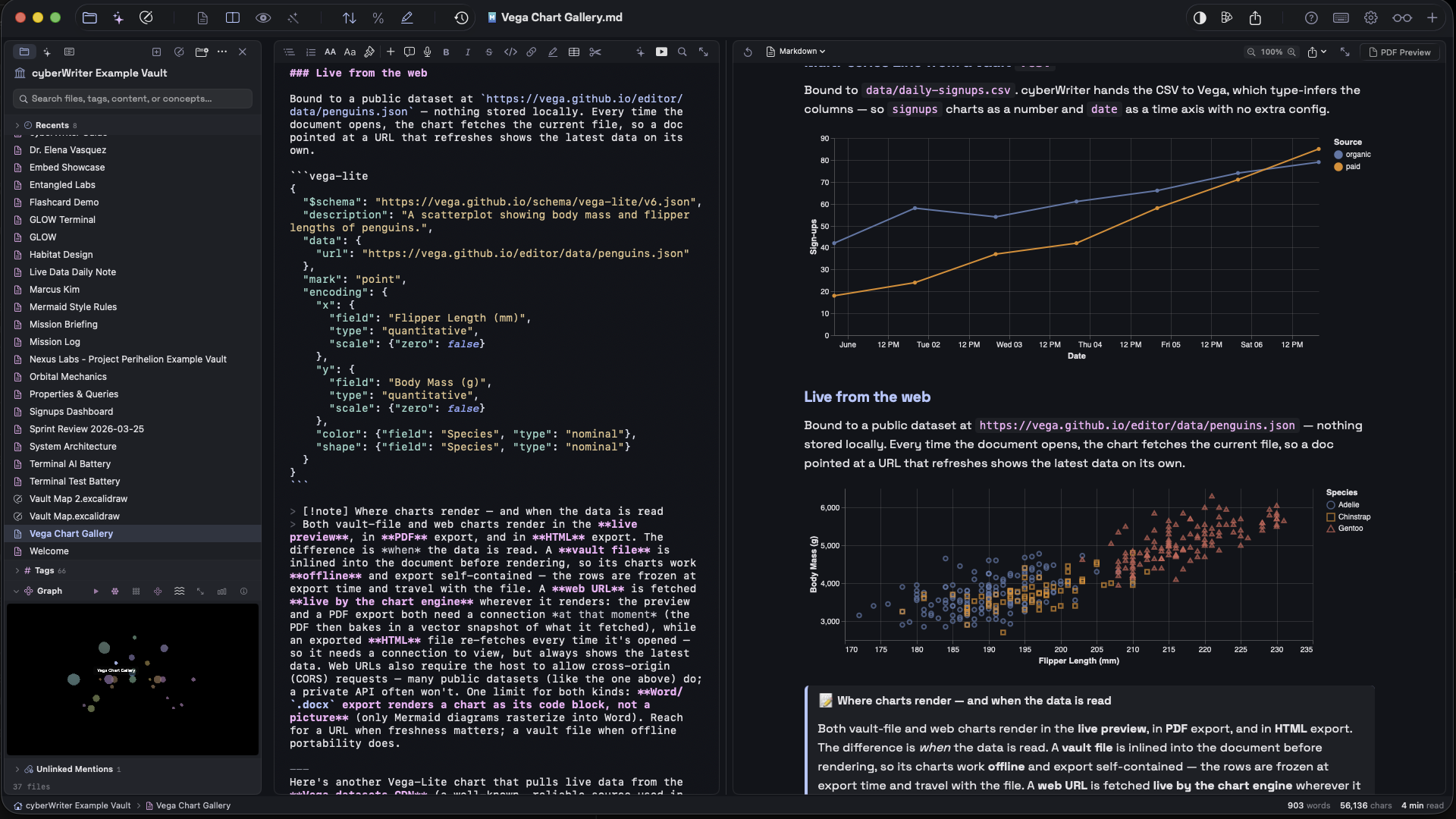
cyberWriter is a native macOS editor for writers, researchers, and engineers - turns Markdown into publication-ready PDFs, Word docs, and HTML with zero external dependencies. Built in Swift and SwiftUI. No insecure community plugins for core features, all built-in natively. Full Mermaid, KaTeX, Live HTML editing and AI support and integration. Built with integrated Apple Intelligence for embeddings and vault structure / RAG chat on your whole vault. Constantly updated with new features. Now with Live API calls, pull live data right into your documents, full Vega Lite chart support, built in Excalidraw, auto image embedding from paste or drag, a fully functional terminal shell with scripting and file management features, and 3D knowledge graphs of your vault with search features.
Requires macOS 15.0 (Sequoia) or later. Apple Silicon and Intel.
AI Workspace
cyberWriter's AI is built around your vault, not a generic chat box.
- Apple Intelligence on macOS 26+ - zero-config, on-device, no API keys
- Chat with your vault - ask questions across all your notes, get answers grounded in what you've written
- Vault structure awareness - the model understands folder layout, wikilinks, and tags, not just raw text
- Document Map embeddings (RAG) - every note is semantically indexed, so concept-level search works even when keywords don't match
- Search for concepts - find "the meeting where we talked about pricing" without remembering the filename
- Quick Actions (`⌘J`): summarize, rewrite, explain, change tone, fix grammar, continue
- Provider auto-discovery - Ollama, LM Studio, MLX, vLLM, Claude, OpenRouter, OpenAI-compatible
- Stream-to-editor - watch the AI type live into your document
- File context - attach `.md`, `.txt`, `.csv`, `.json`, `.pdf` to any prompt
AI Summarizer
File Vault
- `wikilinks` with hover preview and full backlinks panel
- `image.png` and `recording.m4a` embeds
- `tags` rendered as styled pills, extracted from body and YAML frontmatter
- 12+ callout block types (note, tip, warning, danger, info, success, …)
- Quick switcher and drag-and-drop wikilink insertion
- Reads any existing Obsidian vault - no migration required
Knowledge Graph
3D force-directed graph of vault wikilinks with hover-to-explore, click-to-navigate, and a tour mode in a floating window.
Rendering Engine
Mermaid + LaTeX(docs/screenshots/mermaid-latex.png)
- KaTeX math, inline `$...$` and display `$$...$$`
- Mermaid - 16 diagram types, dark mode theming, YAML config
- Inline HTML/CSS, footnotes, YAML frontmatter
- SVG diagrams in PDF, PNG in DOCX, interactive in HTML
Slides & Flash Cards
Convert any document into a slideshow or a flashcard deck.
- Split by `` or headings; `???` separates question from answer
- SM-2 spaced repetition with persistent progress
- Auto-play, shuffle, three layout modes
- Mermaid and KaTeX render on slides
- Auto-generated title slide from YAML frontmatter
Voice & Media
- Voice notes with on-device transcription (SpeechAnalyzer / SFSpeechRecognizer)
- Live dictation mode
- Inline embeds for audio, video, PDFs, CSV, RTF, Markdown, YouTube
- Everything encodes into portable HTML exports
Document Map & Live PDF Preview
- Zoomable grid of your entire document
- Click any page to jump
- Live PDF preview (`⌘P`) with theme-accurate output
- Page-range PDF export
Editor
- Three view modes - Editor (`⌘1`), Split (`⌘2`), Preview (`⌘3`)
- 15+ syntax themes, system mode auto-switching
- Outline sidebar (`⌘⇧O`), insert menu, line numbers, scroll sync
- Focus Mode (`⌘⇧F`)
- Slash command palette (`⌘/`)
Focus mode - distraction free writing
Color Picker
Inline hex swatches in the editor. Option-click any hex to open the system color picker with live updates. Option-click elsewhere to insert a new color. Supports 3, 4, 6, and 8-character hex codes.
Preview and Export Themes
Five built-in themes (Academic, Modern, Sepia, Night, Synthetic Editorial) plus a full custom theme builder. Right-click any theme to duplicate as your own base.
Find & Replace
Quick find (`⌘F`) with inline highlighting, plus enhanced find (`⌘⌥F`) with a scrollable results list, line numbers, and context.
Export
- PDF - publication-ready, with LaTeX, Mermaid, themed backgrounds, page-range export
- DOCX - pure Swift OOXML, no external binaries
- HTML - standalone, with embedded styles, media, and PDFs
- Markdown - extended, with vault-style links and inline CSS
- Plain text and syntax-highlighted code scripts
Example Vault
The example-vault folder is the vault that ships with cyberWriter on first launch - open it from inside the app to explore wikilinks, the graph, Mermaid, callouts, voice notes, and flash cards in context.
In the wild
cyberWriter ranks 7 out of 60 note-taking apps by feature powerscore on the community macOS notes-app comparison sheet https://docs.google.com/spreadsheets/d/1HtJN4oQ6oBDFmFaF4Qeq5vCGEU1g-KB1DEz5Sp_OwXo - and it's the highest-ranked app in the top tier that doesn't rely on community plugins for its core features.
Why that matters: every feature here - vault, graph, Mermaid, LaTeX, AI, RAG, embeddings, voice transcription - is built into the app, sandboxed, and reviewed for the Mac App Store. There are no unvetted third-party plugins running with full system access.
Made by JT @ UncSoft(https://cyberwriter.app).








What You Can Do
3 use cases for cyberWriter
Frequently Asked Questions
Common questions about this deal
01What's included with cyberWriter on BundleHunt?
cyberWriter on BundleHunt includes a license key and instant download access. The license is obtained directly from the developer and activates the latest version of the software.
02How do I get my cyberWriter license key?
After purchasing cyberWriter through BundleHunt, your license key and download link will be available immediately in your account under "Downloads & Licenses". You can access them anytime.
03What version of cyberWriter will I receive?
You will receive the developer's most up-to-date version of cyberWriter, fully activated and ready for immediate use.
