Unlock 1,200+ hidden macOS settings and run maintenance tool...
35% OFF
From
$19.47$29.95
SAVE $10.48
Offer Expired
This special offer has ended. Get notified when similar deals become available.
Unlock 1,200+ hidden macOS settings and run maintenance tool...
Grab text from anywhere on screen — images, video, PDFs, scr...
Shrink oversized PDFs without visible quality loss. Drag, dr...
AppVault snapshots your setup, updates apps, secures keys, a...
DVD burning software to quickly burn your videos into high quality
This deal is no longer available.
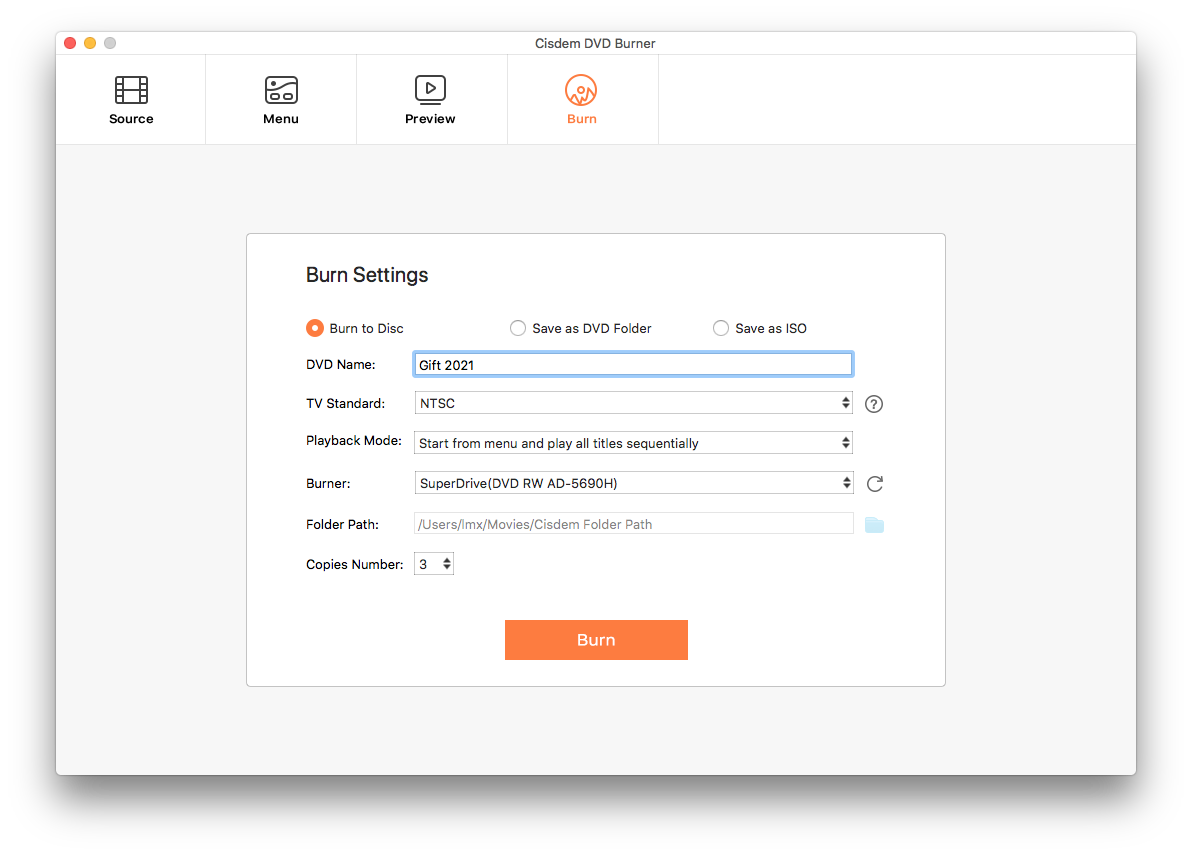
DVD Disc, DVD Folder, or ISO File, with powerful editing functions and customizable menu.
Cisdem DVD Burner supports to burn DVD from almost all videos, such as MP4, AVI, MOV, MKV, WMV, MPEG, 3GP, VOB, FLV, M2TS, MTS, TS, SWF, MPG, MPA, DAT, DV, NSV, QT, RMVB, DivX, DV, etc. including the latest 4K/5K UHD video.
Also, it supports downloaded videos from YouTube, Facebook, Twitter, Vimeo, Dailymotion, etc. and recorded videos taken by the camcorder, camera, iPhone, iPad, and other devices.
Want to create a fantastic DVD with special effects? Hope to play a close-up on the DVD? Eager to add your unique logo? A built-in video editor lets you make special DVD.
Cisdem DVD Burner provides various free DVD menu templates for different occasions and events, such as Classic, Christmas, New Year, Valentine’s Day, Birthday, Wedding, Graduation, Sports, Baby, Travel and more. You can easily select one to fit the theme of your DVD or just go without a menu.
Moreover, you can set video aspect ratio and customize the DVD menu. There are 2 common aspect ratios: 16:9 for widescreen and 4:3 for fullscreen. You are allowed to select the menu background from solid color or imported image, display title button as Frame, Frame & Label or Label, show menu button as Icon, Icon & Label, Label or just hide them, edit the menu text and define its font, size and color. To get more creativity, you can even add your favorite background music and apply Fade In/Out effect.
Cisdem DVD Burner can burn videos to DVD Disc directly, all DVD formats are supported, including DVD-9, DVD-5, DVD-R/RW, DVD+R/RW, DVD+R DL, DVD-R DL, DVD-RAM and more. You can also convert to DVD Folder and play them like genuine DVD, or backup files to ISO File for further burning.
Real-time show the DVD file size and disk capacity under different video quality settings, ensuring successful DVD burning without exceeding the capacity and zero waste on your disks.
Get your DVD formatted in NTSC, PAL TV standard, or as per your region for smooth playing. Also pick from multiple playback modes to enable an expected DVD playback behavior.
Leave your DVD burning unfinished and want to continue next time? Save current DVD burning as project file and continue later. It even allows burning your videos to multiple DVD copies without repeating a tedious burning process.
Come with an intuitive interface, it is very easy to burn your DVD with only 3 steps.
Common questions about this deal
DVD Burner - Lifetime on BundleHunt includes a license key and instant download access. The license is obtained directly from the developer and activates the latest version of the software.
After purchasing DVD Burner - Lifetime through BundleHunt, your license key and download link will be available immediately in your account under "Downloads & Licenses". You can access them anytime.
You will receive the developer's most up-to-date version of DVD Burner - Lifetime, fully activated and ready for immediate use.