

Burn videos to DVD discs, folders, or ISO files with custom menus and editing tools for professional results. Easy to use with only 3 steps.
- Official License
- Instant Delivery
- 1 Mac
- Secure Checkout
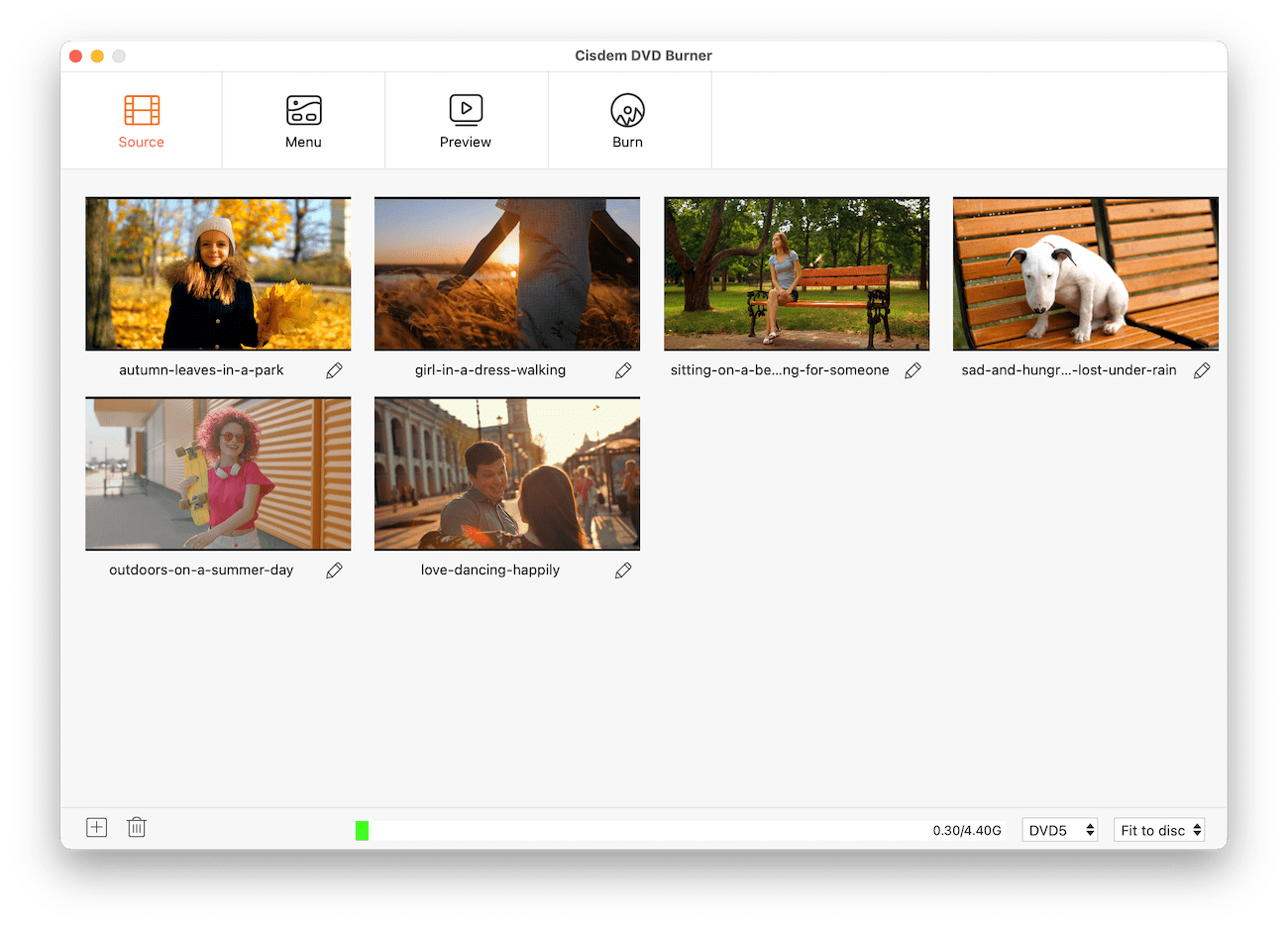

Cisdem DVD Burner
Cisdem·v6.11.0
- Official license · Direct from developer
- Instant Download Access
- 1 Mac
- Secure Checkout
Easily Burn Any Video to Playable DVDs with Menu
Got a pile of videos collecting digital dust? Cisdem DVD Burner brings them to life on DVD with essential editing and burning tools. It can create custom DVD and ISO files from any video format with high quality & speed. Works great for beginners and pros.
Wide Compatibility
- Supported Input Formats: Compatible with virtually all video formats - MP4, MOV, MKV, AVI, FLV, HEVC... if it plays on your computer, it burns to DVD.
- Supported DVD Types: Support DVD-R/RW, DVD+R/RW, and dual-layer DVD-R/+R discs.
Flexible Burning Options
- Fit to disc: Automatically optimizes videos to fit disc capacity.
- High Quality: Preserve the maximum possible video quality.
- Standard: Balance video quality and file size.
Simple & Useful Video Editing
- Trim: Remove unwanted beginnings and endings to keep only the best moments.
- Crop: Chop off distracting edges or zoom in on what matters.
- Rotate: Fix videos shot sideways or upside down.
- Watermark: Stamp videos with your logo or text.
- Effects: Brighten dark clips, boost colors, enable deinterlacing, etc.
- Subtitle: Add subtitles that stay put - from files or straight from your video.
- Chapter: Mark chapters so users can jump straight to key moments.
- Volume: Pump up quiet dialogue and fade music smoothly.
Design an Interactive DVD Menu in Minutes
- Pre-designed Templates: Use fixed templates or freely combine background images, title buttons, and menu buttons within each template.
- Replace Backgrounds: Use local images or solid color.
- Add Audio: Import audio files to serve as background music.
- Text Customization: Insert text elements with complete control over font selection, sizing, coloration, and positioning.
- Aspect Ratio Options: Set menu display for widescreen (16:9) or standard (4:3) TVs.
Custom DVD Burn Settings
- Output Configuration: Select target output format as physical disc, DVD VIDEO_TS folder, or ISO image.
- TV Standard: Select NTSC or PAL. If you're unsure, choose your country/region to determine the format.
- Playback Mode: Play all titles in order, a single title returning to the menu, or loop titles and/or the menu.
- Copies Number: Specify how many duplicate DVDs to burn.






What You Can Do
3 use cases for Cisdem DVD Burner
Frequently Asked Questions
Common questions about this deal
01What's included with Cisdem DVD Burner on BundleHunt?
Cisdem DVD Burner on BundleHunt includes a license key and instant download access. The license is obtained directly from the developer and activates the latest version of the software.
02How do I get my Cisdem DVD Burner license key?
After purchasing Cisdem DVD Burner through BundleHunt, your license key and download link will be available immediately in your account under "Downloads & Licenses". You can access them anytime.
03What version of Cisdem DVD Burner will I receive?
You will receive the developer's most up-to-date version of Cisdem DVD Burner, fully activated and ready for immediate use.
