Loading...

Official license · Direct from developer
Version 3.1.2
Official license · Direct from developer
Developer
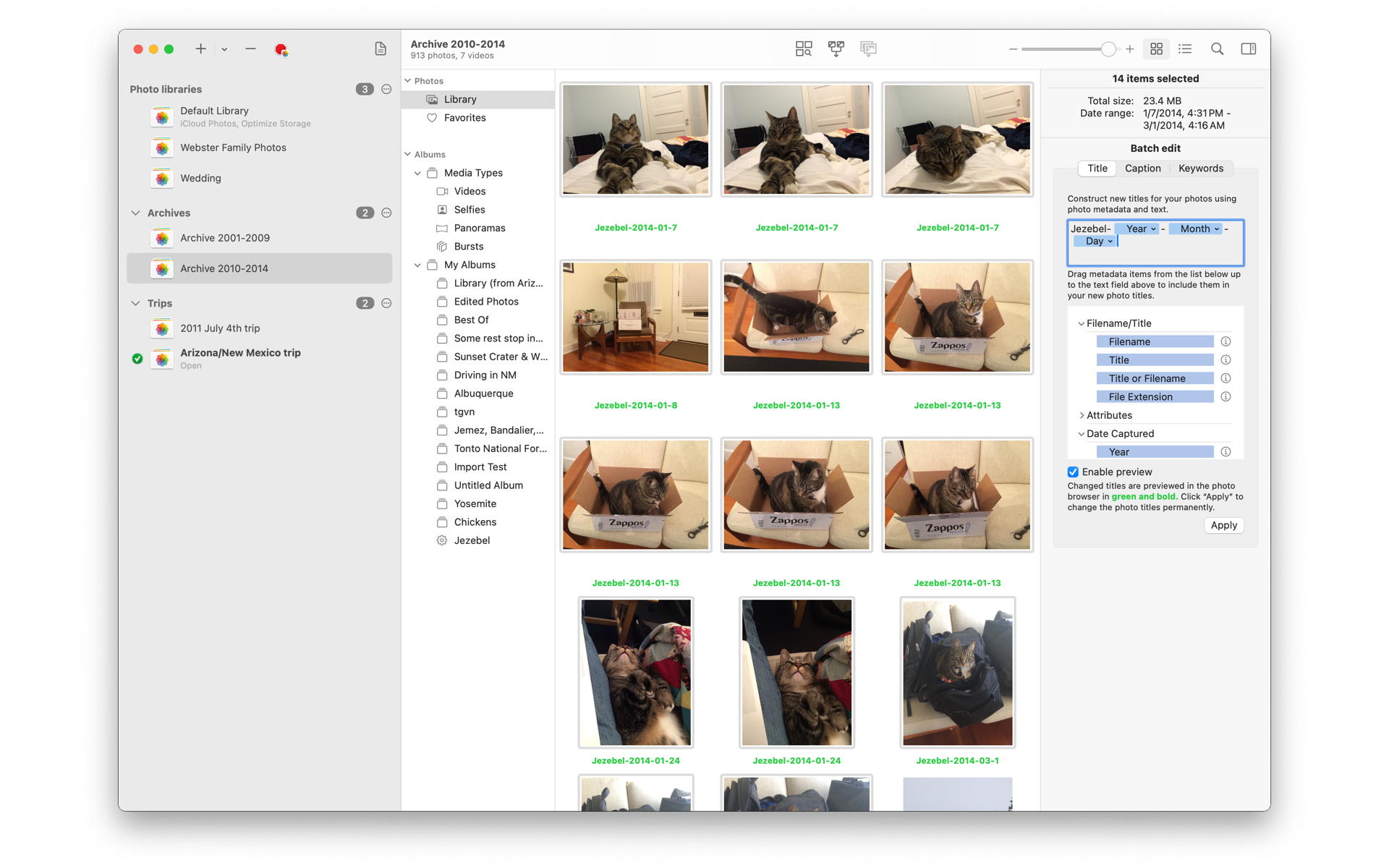
Fat Cat SoftwarePowerPhotos 3.0 is now available, with new batch metadata editing, advanced multi library search, a brand new in-window photo viewer, and more. Try PowerPhotos 3 with the free download, and existing PowerPhotos users can use their license key to receive a 50% upgrade discount. Read more about what’s new in PowerPhotos 3.0.
PowerPhotos works with the built-in Photos app on your Mac, providing an array of tools to help you get your photo collection in order.
Instead of being limited to putting all your photos in a single library, PowerPhotos can work with multiple Photos libraries, giving you many more options for how to organize your ever growing photo collection.
Splitting your photos between multiple libraries helps Photos open more quickly, lets you archive older photos, store some of your collection on an external hard drive, and reduce storage space used by iCloud Photo Library.
It’s easy to have multiple copies of the same photo creep into your photo collection over time. Use PowerPhotos to find duplicate photos in one or more libraries, view them side by side, and delete the extra copies to save space on your drive and in iCloud.
Got a whole bunch of libraries you want to consolidate into one? PowerPhotos lets you merge your libraries together while weeding out duplicate photos in the process and keeping albums and photo edits/metadata intact. You will be shown a preview of what your merged library will look like before any modifications are done, to ensure your merged library looks how you want.
You can split your library by copying albums and photos with a simple drag and drop. PowerPhotos will take care of copying the photos and retaining their metadata, including keywords, descriptions, titles, dates, and favorite status. Read more about what PowerPhotos can copy.
PowerPhotos offers quick and easy ways to edit your photos titles, keywords, and captions. Quickly advance through many photos, adding metadata without ever needing to take your hands off the keyboard, or batch edit multiple photos at once, using configurable templates to assign new titles and captions to your photos.
A new search indexing engine enables PowerPhotos to let you search your libraries using multiple criteria, including the ability to use nested and/or predicates, and a number of criteria not available in Photos, such as file size, video duration, or height/width. You can search a single library, or across multiple libraries at the same time. Once you have a search set up, you can save it to easily reuse it later.
PowerPhotos can export your photos with more options not found in Photos built-in exporting capabilities. In addition to standard features such as including metadata in the exported photos and videos and being able to export in different formats and sizes, PowerPhotos also allows you to export albums from your library as a hierarchy of folders in the Finder that mimic your album hierarchy. You can also set the Finder modification/creation dates to match the photo EXIF date, customize file naming, include videos from Live Photos, and more.
Common questions about this deal
PowerPhotos on BundleHunt includes a license key and instant download access. The license is obtained directly from the developer and activates the latest version of the software.
After purchasing PowerPhotos through BundleHunt, your license key and download link will be available immediately in your account under "Downloads & Licenses". You can access them anytime.
You will receive the developer's most up-to-date version of PowerPhotos, fully activated and ready for immediate use.