Elmedia Player is a media player that will play virtually any video or audio file you throw at it, be it MP4, AVI, MOV, SWF, DAT, MKV, MP3, FLAC, M4V, FLV or any other common format. No need for additional codecs, plugins – this app has everything you need for instant playback.
Elmedia Player guarantees a perfectly smooth HD experience thanks to hardware accelerated decoding.
Elmedia Player proudly offers:
Native Apple Silicon support
Video and audio playback options
-
Support for multiple audio tracks: both embedded and external audio files.
-
Full-screen mode: that lets you choose the active monitor..
-
Separate volume slider:
-
Creation and easy control: over playlists.
-
Pinned mode: The player can be conveniently pinned on top of all active apps.
-
Fit to screen: Fit the player window to your screen.
-
Playback speed: The playback speed is easily adjustable.
-
Looping: Select and loop a video or audio segment continuously.
-
Automatic audio loading: Instruct the player to automatically load external audio tracks from the same directory, based on filenames.
-
Picture-in-picture mode: to keep your clips visible in the background.
-
Built-in audio visualizer: Use the built-in audio visualizer to feel the beat.
-
Preview thumbnails: Enable or disable preview thumbnails on the timeline.
-
Screenshots: Make a screenshot of any moment in the movie or make an entire video into a set of images. Set the preferred interval between screenshots.
With this streaming media player installed on your Mac you'll be able to effortlessly stream local video and audio files to Smart TVs like Samsung, LG, Sony, Roku, etc. Chromecast, Apple TV, and other AirPlay and DLNA-certified devices.
Great streaming features offered by Elmedia:
-
Native streaming: Streams audio and video files in their native formats or transcoded in real time.
-
4K support: Supports streaming of up to 4K videos to compatible devices (Chromecast Ultra, Apple TV 4K, etc.).
-
Subtitle support: Supports subtitles (both embedded and external).
-
Playlists: Supports playlists (create your very own playlists for uninterrupted streaming).
-
Playback control: Control your streaming in the app. You can play, pause, seek, or stop the video playback. When streaming to Chromecast or DLNA devices you can also adjust the volume in player.
You can also use Elmedia Player as an audio receiver for AirPlay, which comes in handy when you need to stream audio from your phone to a Mac connected to larger speakers.
Integrated subtitles search
We have integrated Elmedia Player with opensubtitles.com service, which allows you to find any subtitles available there in a couple of clicks without leaving the video player.
Flexible video & audio settings
-
Video transformations: Flip vertically, rotate, mirror videos or revert to original.
-
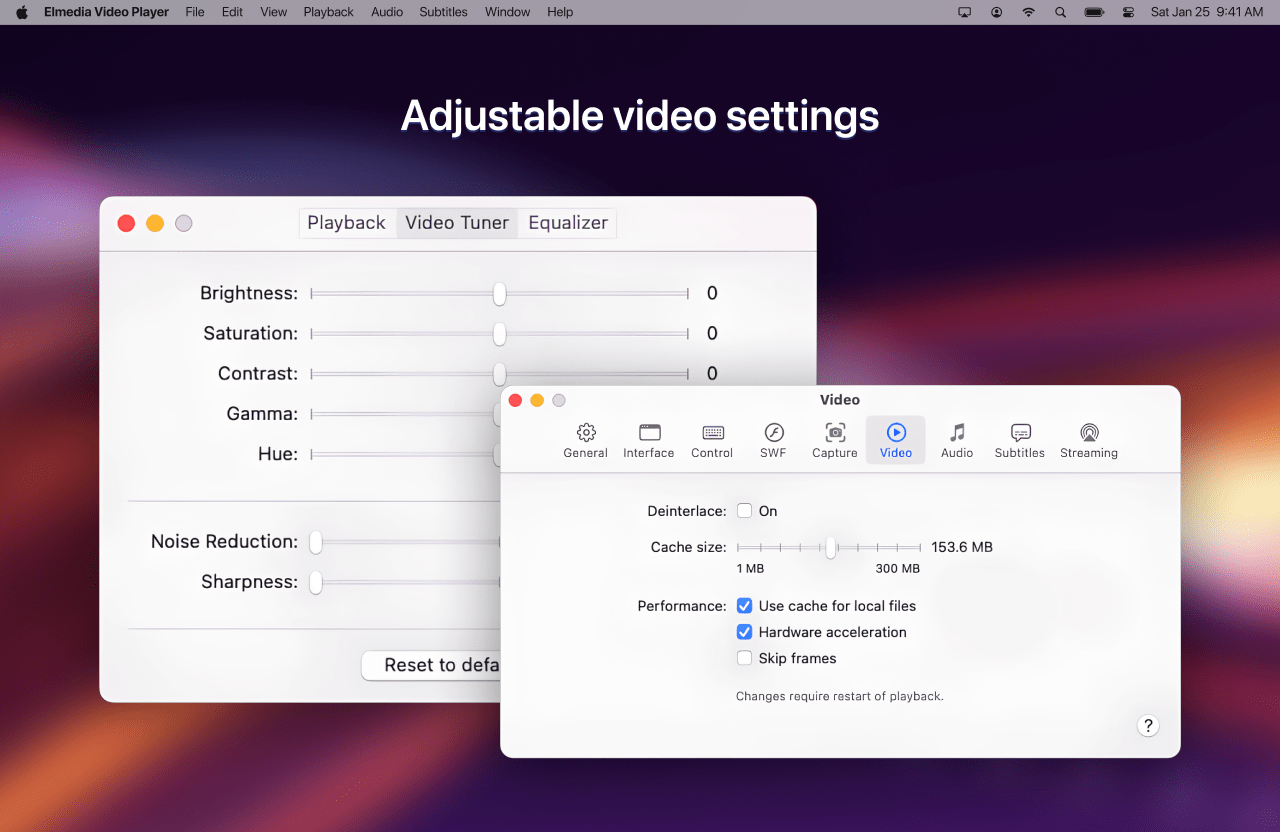
Video adjustments: Adjust video brightness, contrast, saturation, and more.
-
Subtitle sync: Sync subtitles to the video in case it wasn't in sync originally.
-
Multi-language support: Choose the language for audio and subtitles when files have multiple subtitles and audio streams.
-
Audio equalizer: Adjust the sound for different genres, rooms, or specific speakers with the audio equalizer. Select one of the presets or create your own.
-
Output device: You can set an output device for audio; for advanced users: transmit AC-3/DTS through S/PDIF.
Supported formats
-
Audio: mp3, m4a, wma, aac, ac3, aiff, ape, flac, mka, ogg, pcm, ra, vaw, waw, wav, aif, oga, caf, acm, dts, mpa, webm
-
Video: 3gp, avi, mp4, mpeg, vob, flv, mov, mkv, 3iv, asf, fli, m1v, m2t, m2ts, m2v, m4v, mp2, mpg, mpg2, mpg4, mpv, mqv, nut, nuv, nsv, qt, ram, rec, rm, rmvb, ts, vcd, vfw, wmv, webm, rv, f4v, ogv, ogm, divx, asx, dat, tp, mjp, yuv, xvid, vc1, mtv, mxf, qtz, dv, hdv, 3g2, mts
-
Subtitles: utf, srt, ass, smi, txt, ssa, smil, jss, rt, idx, sub, vtt