Loading...

Official license · Direct from developer
Version 4.7.0
Official license · Direct from developer
Developer
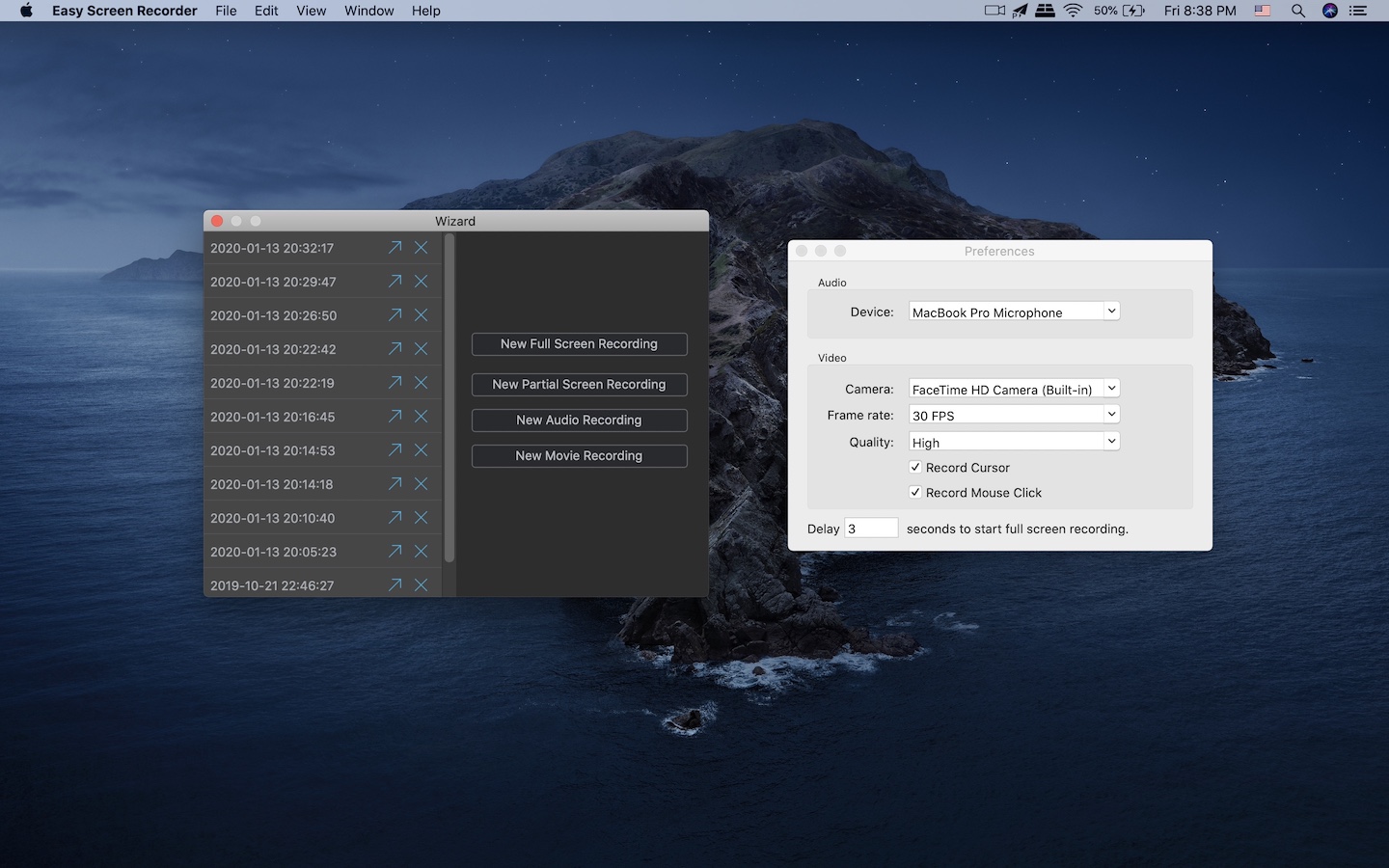
SEASOFTEasy Screen Recorder can record any part of your screen, or the entire screen. The recording task runs in the background while you are making the tutorial video, which is very efficient and high-quality, even if you are recording a 5K screen, there is no lag.
It can help you record voice independently. Therefore, you can record the guide first and then record the sound. It can record sound from the built-in microphone and external audio capture device.
Through it, recording the camera is very simple. Just click "New Movie Recording" to start the camera for preview. When you are ready, click to start recording it. It enables the built-in camera by default, you can also set the external camera through preferences.
After recording the video, the video editing features will help you make the video more vivid and interesting. You can add other video clips, photos, music, etc., you can edit, crop and trim video clips, you can add transition effects, and you can do whatever you want.
It allows you to export mp4 as well as mp3 format. Using hardware acceleration can increase the export speed by 2 times. Both AVC encoder and HEVC encoder can use hardware acceleration.
Common questions about this deal
Easy Screen Recorder - 1 Year Plan on BundleHunt includes a license key and instant download access. The license is obtained directly from the developer and activates the latest version of the software.
After purchasing Easy Screen Recorder - 1 Year Plan through BundleHunt, your license key and download link will be available immediately in your account under "Downloads & Licenses". You can access them anytime.
You will receive the developer's most up-to-date version of Easy Screen Recorder - 1 Year Plan, fully activated and ready for immediate use.